Fix & Maintain
Robot Vacuum Parts Finder
Choose your brand and series, and the finder shows the batteries, dock bags, filters, brushes and pads whose listings name your robot, each with a link to the full guide.
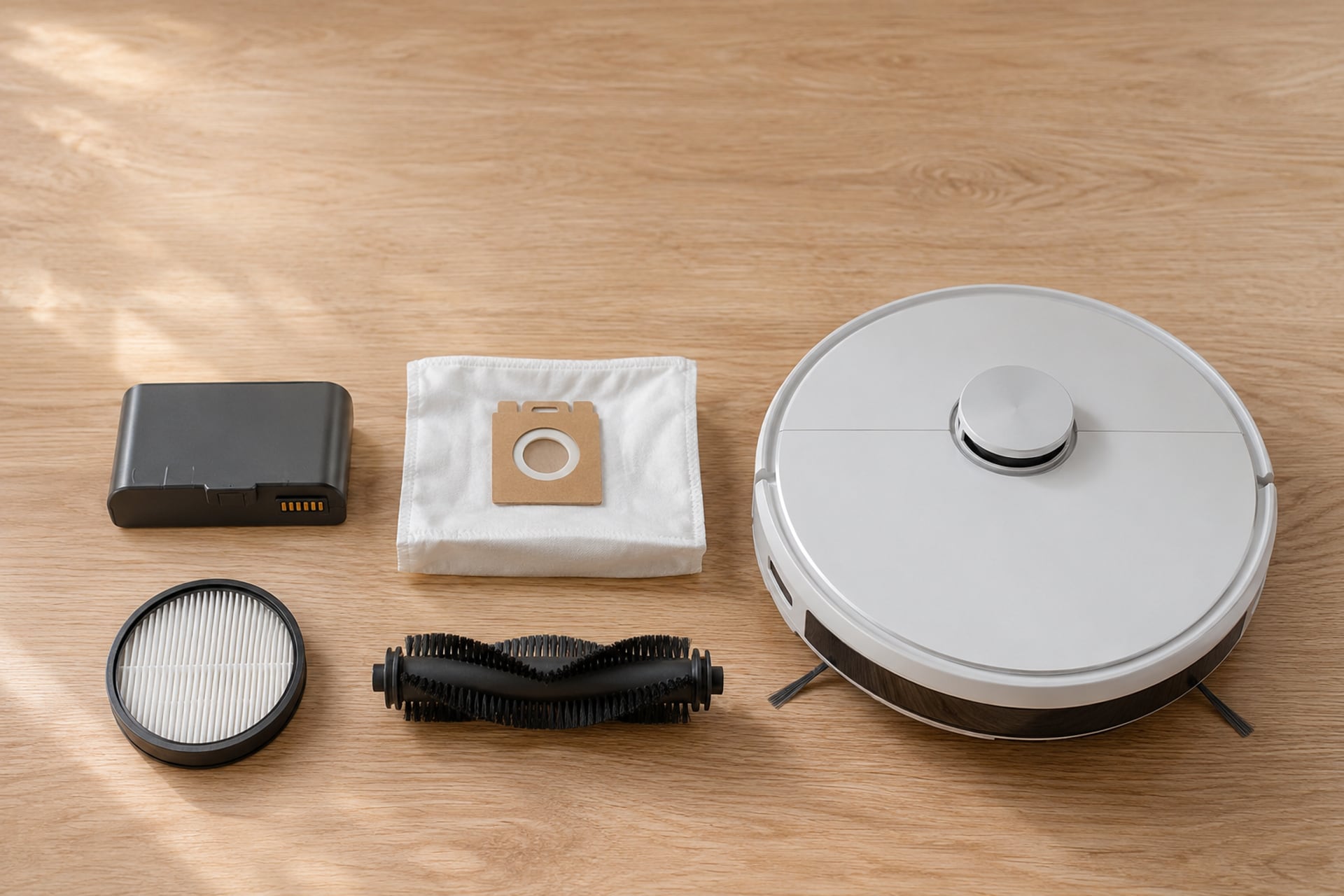
Most wrong-part orders come from matching the brand and missing the series. A Roomba battery made for one family does not fit another, and a Roborock dust bag that suits a Saros dock is not described as fitting an S7. This finder asks for your brand and series, then lists only the parts whose listings name your robot.
It is a router, not a ranking. Every card says what its listing names and what it leaves out, and links to the guide where that part is reviewed. If you want every parts guide sorted by brand and by part, start with robot vacuum replacement parts.
Pick Your Brand and Series
Three steps: brand, series, then the parts. The address updates as you choose, so you can send the result to someone else. A part we cannot name for your series shows as "See the guide" and links to the guide instead of a product.
Find your parts
Pick your brand
Pick your iRobot Roomba series
Pick your Roborock series
Pick your Shark series
Pick your eufy series
Parts for your robot
Roomba 500 and 700 Series
Models: All 500 Series models, All 700 Series models
Battery
Tenergy 14.4V 3850mAh NiMH Battery
Third-party pack. The listing names all models from the 500 and 700 Series.
at AmazonFilters
Filters for the 500 and 700 Series
We do not link a filter for this series.
See the guide
Accessories
iRobot Dual Mode Virtual Wall Barrier
The listing title names Roomba 600, 700, 800 and 900 Series.
at AmazonParts for your robot
Roomba 600 Series
Models: 618, 620, 630, 635, 645, 650, 655, 660
Battery
Tenergy 14.4V 3850mAh NiMH Battery
Third-party pack. The listing names the 618, 620, 630, 635, 645, 650, 655 and 660, not the whole series.
at AmazonFilters
Filters for the 600 Series
We do not link a filter for this series.
See the guide
Accessories
iRobot Dual Virtual Wall, 2-Pack
The listing title names all Roomba 600 Series, the 614, 675, 692 and 694, and the e, i1 to i8+ models it lists.
at AmazoniRobot Dual Mode Virtual Wall Barrier
The listing title names Roomba 600, 700, 800 and 900 Series.
at AmazonParts for your robot
Roomba 800 Series
Models: 870, 880, Other 800 Series models
Battery
Tenergy 14.4V 3850mAh NiMH Battery
Third-party pack. The listing names the 870 and 880 among its 800 Series models, not the whole series.
at AmazonFilters
iRobot AeroForce High-Efficiency Filters, 3-Pack
Listed for the 800 and 900 Series only.
at AmazonBrushes and kits
iRobot Replenishment Kit for Roomba 800 and 900 Series
Three AeroForce filters, two edge-sweeping brushes and one set of AeroForce extractors. Listed for the 800 and 900 Series.
at AmazonAccessories
iRobot Dual Mode Virtual Wall Barrier
The listing title names Roomba 600, 700, 800 and 900 Series.
at AmazonParts for your robot
Roomba 900 Series
Models: All 900 Series models
Battery
Battery for the 900 Series
The third-party pack we link does not name the 900 Series, so we do not list it here.
See the guide
Filters
iRobot AeroForce High-Efficiency Filters, 3-Pack
Listed for the 800 and 900 Series only.
at AmazonBrushes and kits
iRobot Replenishment Kit for Roomba 800 and 900 Series
Three AeroForce filters, two edge-sweeping brushes and one set of AeroForce extractors. Listed for the 800 and 900 Series.
at AmazonAccessories
iRobot Dual Mode Virtual Wall Barrier
The listing title names Roomba 600, 700, 800 and 900 Series.
at AmazonParts for your robot
Roomba e, i and j Series
Models: e5, e6, e7, i1, i1+, i2, i3, i3+, i4, i4+, i6, i6+, i7, i7+, i8, i8+, j6+, j7, j7+, j8+, Combo i5, Combo j5
Battery
iRobot Authentic Replacement Battery for e, i and j Series
Made by iRobot. The listing names the e, i and j Series, excludes the i8 and does not fit the Roomba Combo mop models.
at AmazonDock bags
iRobot Clean Base Dirt Disposal Bags, 3-Pack
For Clean Base docks. The listing names the i1+, i3+, i4+, i6+, i7+, i8+, j6+, j7+ and j8+.
at AmazoniRobot Dirt Disposal Bags, 12-Pack
The same Clean Base bag in a pack of 12. Check that your dock is one the listing names.
at AmazonFilters
iRobot High-Efficiency Filters, 3-Pack
Names the e, i and j Series and the Combo i5 and j5. Not compatible with the Combo j7+ or Combo j9+.
at AmazonBrushes and kits
iRobot Replenishment Kit for e, i and j Series
Three filters, three edge-sweeping brushes and one set of dual rubber brushes. Not compatible with the Combo j7+, Combo j9+ or Combo 10 Max.
at AmazoniRobot Edge-Sweeping Brush, 3-Pack
Listed for e, i and j Series robots, the Roomba Combo and the Combo 10 Max.
at AmazoniRobot Dual Multi-Surface Rubber Brushes
Listed for e, i and j Series and Combo robots. Not compatible with the Roomba Combo Essential.
at AmazonAccessories
iRobot Dual Virtual Wall, 2-Pack
The listing title names the e Series and the i1, i1+, i3, i3+, i4, i4+, i5, i5+, i7, i7+ and i8+. The j Series is not named.
at AmazonParts for your robot
Roomba s Series
Models: s9+
Battery
Battery for the s Series
We do not link an s Series battery. The guide has iRobot's swap steps.
See the guide
Dock bags
iRobot Clean Base Dirt Disposal Bags, 3-Pack
For Clean Base docks. The listing names the s9+.
at AmazoniRobot Dirt Disposal Bags, 12-Pack
The same Clean Base bag in a pack of 12. The title lists the s9.
at AmazonFilters
Filters and brushes for the s Series
We do not link a part for this series.
See the guide
Parts for your robot
Roomba Combo j7+, j9+ and Combo 10 Max
Models: Combo j7+, Combo j9+, Combo 10 Max
Dock bags
iRobot Clean Base Dirt Disposal Bags, 3-Pack
The listing names the Combo j7+, the Auto-Fill dock for the Combo j9+ and the AutoWash dock for the Combo 10 Max.
at AmazoniRobot Dirt Disposal Bags, 12-Pack
The same Clean Base bag in a pack of 12. The title lists Combo 10 models.
at AmazonFilters
Filters for the Combo j7+, j9+ and Combo 10 Max
The e, i and j filter pack is not compatible with the Combo j7+ or Combo j9+, so we do not list it here.
See the guide
Brushes and kits
iRobot Edge-Sweeping Brush, 3-Pack
The title names the Roomba Combo and the Combo 10 Max.
at AmazoniRobot Dual Multi-Surface Rubber Brushes
The listing names Combo and Combo 10 Max robots.
at AmazonCleaning solution
iRobot Hard Floor Cleaner Concentrate
The listing names the Combo 10 Max and all Roomba Combo i and j series.
at AmazonParts for your robot
Roomba 105 Vac and Combo
Models: 105 Vac, 105 Combo, 105 with AutoEmpty dock
Dock bags
iRobot AutoEmpty and AutoWash Dock Bags, 3-Pack
The listing names the 105 Vac and 105 Combo with the AutoEmpty dock. Up to 75 days of dirt per bag, per the listing.
at AmazonBrushes and kits
iRobot Replenishment Kit for Roomba 105
Three filters, three edge-sweeping brushes and one bristle brush. Listed for 105 Series robots only.
at AmazoniRobot Edge-Sweeping Brush for 105, 205 and 405, 3-Pack
The listing names the 105 Combo and Vac, with and without the AutoEmpty dock.
at AmazonCleaning solution
iRobot Hard Floor Cleaner Concentrate
The listing names the 105 Combo.
at AmazonParts for your robot
Roomba 205 and Essential
Models: 205 DustCompactor Combo, 205 DustCompactor Vac, Combo Essential, Vac Essential, Combo 2 Essential, Vac 2 Essential
Battery
Battery for the Roomba Essential
iRobot says the Essential is not meant to have its battery removed. The guide explains what it advises instead.
See the guide
Brushes and kits
iRobot Edge-Sweeping Brush for 105, 205 and 405, 3-Pack
The listing names the 205 DustCompactor Combo and Vac and the Essential models listed above.
at AmazonCleaning solution
iRobot Hard Floor Cleaner Concentrate
The listing names the 205 DustCompactor Combo, the Combo Essential and the Combo 2 Essential.
at AmazonParts for your robot
Roomba Plus 405 and 505 Combo
Models: Plus 405 Combo, Plus 505 Combo, Plus 400 Combo, Plus 500 Combo
Dock bags
iRobot AutoEmpty and AutoWash Dock Bags, 3-Pack
The listing names the Plus 405 Combo and Plus 505 Combo with the AutoWash dock.
at AmazonBrushes and kits
iRobot Replenishment Kit for Roomba Plus 400 and 500
Three filters, three edge-sweeping brushes and one rubber brush. The title and the feature text name the model slightly differently, so check the printed name.
at AmazoniRobot Edge-Sweeping Brush for 105, 205 and 405, 3-Pack
The listing names the Plus 405 Combo with the AutoWash dock. The 505 is not named.
at AmazonCleaning solution
iRobot Hard Floor Cleaner Concentrate
The listing names the Plus 405 Combo. The 505 is not named.
at AmazonParts for your robot
Roomba Max 705 Vac and Combo
Models: Max 705 Vac, Max 705 Combo
Dock bags
iRobot AutoEmpty and AutoWash Dock Bags, 3-Pack
The listing names the Max 705 Vac and Max 705 Combo.
at AmazonBrushes and kits
Filters and brushes for the Max 705
We do not link a part for this series.
See the guide
Parts for your robot
Roborock Qrevo
Models: Qrevo S Pro, Q Revo, Qrevo MaxV, Qrevo Slim, Qrevo 2 Pro, Qrevo Curv, Qrevo Edge 3 Pro, Qrevo Edge 2
Dock bags
Roborock Disposable Dust Bags, 6-Pack
Six 2.7 L bags. Named for the Qrevo S Pro, Qrevo 2 Pro, Q Revo, Qrevo MaxV, Qrevo Slim and Qrevo Curv.
at AmazonFilters
Filter for the Qrevo
The washable filter we link is not named for the Qrevo, so check your model with Roborock.
See the guide
Brushes and kits
Roborock Rubber Main Brush
Named for the Qrevo S Pro, Q Revo, Qrevo S and Qrevo MaxV. The Qrevo Slim is not named.
at AmazonRoborock Side Brushes, 2-Pack
Named for the Qrevo and Qrevo Slim. The Qrevo S Pro is not named.
at AmazonMop pads
Roborock Microfiber Mop Cloths, 4-Pack
Named for the Qrevo S Pro, QV 35A, QV 35S, Qrevo L, QV 798 and QX Revo Plus. Match the model code on your robot.
at AmazonCleaning solution
Roborock Official Floor Cleaning Solution
Names the Qrevo Edge 3 Pro, Qrevo 2 Pro, Qrevo Edge 2 and Qrevo S Pro. For Roborock devices only, per the listing.
at AmazonAccessories
roborock Threshold Strip for All Series Robot Vacuums
The listing title says it is for all series of robot vacuums.
at AmazonParts for your robot
Roborock Saros
Models: Saros 10, Saros 10R, Saros 20, Saros 20 Flow, Saros Z70
Dock bags
Roborock Disposable Dust Bags, 6-Pack
Six 2.7 L bags. Named for the Saros 20, Saros 20 Flow, Saros 10, Saros 10R and Saros Z70.
at AmazonFilters
Filter for the Saros
The washable filter we link does not name the Saros.
See the guide
Brushes and kits
Brushes for the Saros
The main brush and side brushes we link do not name the Saros, so confirm with Roborock first.
See the guide
Cleaning solution
Roborock Official Floor Cleaning Solution
Names the Saros 20, Saros 10, Saros 10R and Saros Z70. For Roborock devices only, per the listing.
at AmazonAccessories
roborock Threshold Strip for All Series Robot Vacuums
The listing title says it is for all series of robot vacuums.
at AmazonParts for your robot
Roborock S7
Models: S7, S7+, S7 Max Ultra, S7 MaxV, S7 MaxV Plus, S7 MaxV Ultra
Dock bags
Roborock Disposable Dust Bags, 6-Pack, S7, S8+ and Q Series
Named for the S7 MaxV Ultra and S7 Max Ultra. Other S7 models have no self-emptying dock.
at AmazonFilters
Roborock Washable Filter, 2-Pack
Named for the S7, S7+, S7 Max Ultra, S7 MaxV, S7 MaxV Plus and S7 MaxV Ultra.
at AmazonBrushes and kits
Roborock Rubber Main Brush
Named for the S7 family: S7, S7+, S7 Max Ultra, S7 MaxV and S7 MaxV Plus.
at AmazonRoborock Side Brushes, 2-Pack
Named for the S7, S7 Max Ultra and S7 MaxV.
at AmazonCleaning solution
Roborock Official Floor Cleaning Solution
The listing names the S7. For Roborock devices only, per the listing.
at AmazonAccessories
roborock Threshold Strip for All Series Robot Vacuums
The listing title says it is for all series of robot vacuums.
at AmazonParts for your robot
Roborock S8
Models: S8, S8+, S8 Pro Ultra, S8 MaxV Ultra, S8 Max Ultra
Dock bags
Roborock Disposable Dust Bags, 6-Pack, Saros and Qrevo
Named for the S8 MaxV Ultra and S8 Max Ultra. Not for the S8 Pro Ultra or S8+.
at AmazonRoborock Disposable Dust Bags, 6-Pack, S7, S8+ and Q Series
Named for the S8 Pro Ultra and S8+.
at AmazonFilters
Roborock Washable Filter, 2-Pack
Named for the S8 Pro Ultra, S8+ and S8.
at AmazonBrushes and kits
Roborock Side Brushes, 2-Pack
Named for the S8 Pro Ultra and S8.
at AmazonMain brush for the S8
The main brush we link does not name the S8, so confirm with Roborock first.
See the guide
Cleaning solution
Roborock Official Floor Cleaning Solution
The listing names the S8. For Roborock devices only, per the listing.
at AmazonAccessories
roborock Threshold Strip for All Series Robot Vacuums
The listing title says it is for all series of robot vacuums.
at AmazonParts for your robot
Roborock Q Series
Models: Q5, Q5+, Q5 Pro, Q5 Pro+, Q5 Max+, Q7, Q7 Max, Q7 Max+, Q8 Max, Q8 Max+, Q10
Dock bags
Roborock Disposable Dust Bags, 6-Pack, S7, S8+ and Q Series
Named for the Q7 Max+, Q8 Max+, Q5+, Q5 Pro+ and Q5 Max+.
at AmazonFilters
Filter for the Q Series
The washable filter we link does not name the Q7, so check your model with Roborock.
See the guide
Brushes and kits
Roborock Rubber Main Brush
Named for the Q7 range.
at AmazonRoborock Side Brushes, 2-Pack
Named for the Q7, Q7 Max, Q8 Max and Q5.
at AmazonCleaning solution
Roborock Official Floor Cleaning Solution
Names the Q5 Pro, Q7, Q8 and Q10. For Roborock devices only, per the listing.
at AmazonAccessories
roborock Threshold Strip for All Series Robot Vacuums
The listing title says it is for all series of robot vacuums.
at AmazonParts for your robot
Shark robot vacuums
Models: Navigator, Matrix, Matrix Plus, AI Ultra, PowerDetect
Battery
Shark robot vacuum battery
We link no Shark battery. Check the guide, then Shark's own store.
See the guide
Filters
Shark robot vacuum filters
We link no Shark filter. Our guide matches filters to model numbers.
See the guide
Brushes and kits
Shark brush rolls and side brushes
We link no Shark brush. Our guide matches brushes to model numbers.
See the guide
Parts for your robot
eufy RoboVac 11, 15C and G Series
Models: RoboVac 11, 11S, 11S MAX, 11S Plus, 12, 15C, 15C MAX, G10 Hybrid, G20, G30 Series, G35, G40 Series
Battery
eufy Replacement Battery Pack
Sold under the eufy name with a 1 year warranty. The title names the RoboVac 11, 11S MAX, 15C MAX, 15C, G40 Series, G30 Series, G10 Hybrid, G20 and G35.
at AmazonWhere to Find Your Model Number
Check the robot, the box and the manual before you shop. The places below come from each maker's own support pages where we could open them.
iRobot Roomba
iRobot's support article covers the serial number. Remove the bin, turn the Roomba over and look where the bin sat, or open the Roomba Home app, go to Product Settings and tap "about your robot's name". We found no iRobot page that gives the model name, so use the name on the box or in the manual and compare it with the models listed in the finder.
Roborock
We could not open a Roborock support page on this, so we do not state where its label sits. Use the name on the box or in the manual, and the robot's entry in the Roborock app, then match it against the series above.
Shark
For the Matrix RV2310, iFixit's teardown page says the model number is on the black tag on the underside, in front of the main brush. Other Shark models may place the label differently, so check the underside and the manual.
eufy
eufy's support article says the RoboVac model number is on the bottom label of the unit. Flip the robot over and read it from there.
How to Read the Fit Notes
Each fit note repeats what the listing or the maker says, not what we assume. "Named for" means the model appears in the listing. If your exact model is missing from a note, treat the part as unconfirmed and check with the maker before you order. The guides go deeper: Roomba replacement parts, Roborock replacement parts, Roomba bags, Shark robot vacuum parts and eufy RoboVac battery replacement.
Robot Vacuum Parts Finder FAQ
Product prices and availability are accurate as of the date/time indicated and are subject to change. Any price and availability information displayed on Amazon.com at the time of purchase will apply to the purchase of this product. Prices on this page are read again from Amazon once a reading is an hour old, and a price is hidden when the latest reading is more than 24 hours old. CERTAIN CONTENT THAT APPEARS ON THIS SITE COMES FROM AMAZON. THIS CONTENT IS PROVIDED 'AS IS' AND IS SUBJECT TO CHANGE OR REMOVAL AT ANY TIME.
Sources
- iRobot Customer Care, Where Do I Find the Serial Number?, homesupport.irobot.com, read on November 20, 2026 Source for removing the bin to find the serial number and for the Roomba Home app path to it. The article does not give a model name.
- iRobot Customer Care, Roomba and Braava Battery Removal and Replacement, homesupport.irobot.com, read on November 20, 2026 Source for the note to use an authentic iRobot lithium-ion battery.
- eufy Support, How to find the model number of my eufy cleaner, service.eufy.com, read on November 20, 2026 Source for the RoboVac model number sitting on the bottom label.
- iFixit, Shark Matrix RV2310 Repair Help, read on November 20, 2026 Source for the model number tag on the underside in front of the main brush, for that model only.
- Amazon US product listings for the parts shown in the finder, read through the Amazon Creators API on November 19 and 20, 2026 Source for every fit note: the models each listing names and the models it excludes.
The RobotVacuumer letter
New robot vacuum picks and plain advice on choosing and living with one, about once a month.