Parts guide
Roomba Battery Replacement, Series by Series
Which battery belongs in your Roomba, what each listing says it fits, and the swap steps iRobot publishes for each family, so the new pack goes in the first time.
As an Amazon Associate we earn from qualifying purchases, at no cost to you. How we make money.
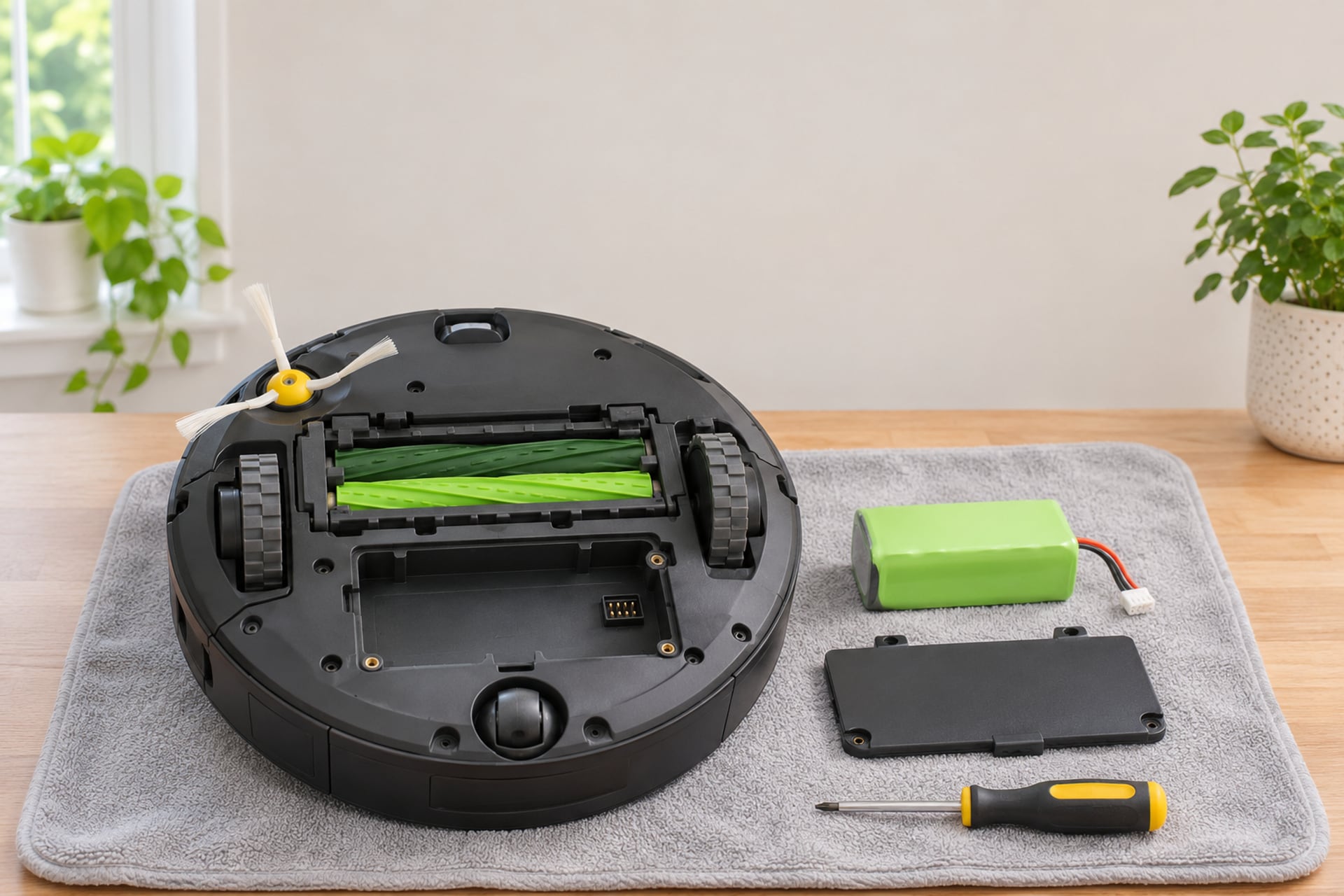
A Roomba that dies halfway through a room, or that comes off the dock and gives up within minutes, is usually asking for a new battery. The part is cheap next to a new robot, but it is also easy to buy wrong: iRobot has used different battery types across its generations, and a pack made for one family does not fit another.
This page matches the batteries we link to the Roomba series each listing names, then walks through the swap using iRobot's own published steps. It is a parts guide, not a ranking. If you are not sure the battery is the problem yet, start with the section below, and with our Roomba not charging guide before you spend anything.
Signs the Battery Is the Problem
A battery rarely fails in one go. It fades, and the robot tells you in ordinary ways before it stops altogether. Rule out the cheap causes first, because a dirty charging contact or a dead outlet looks a lot like a worn battery.
What a Worn Battery Looks Like
The usual pattern is a robot that used to finish the floor on one charge and now returns to the dock early, or stops short of the dock and dies. Runs get shorter month by month, and the robot may charge for hours and still not behave like it did. None of this proves the battery is the cause, which is why the next step matters.
What to Rule Out Before You Buy
Check that the dock has power, that the metal contacts on the robot and the dock are clean, and that the battery is seated. Our Roomba not charging guide covers each of those in order and explains the charging error numbers. If the robot charges normally, the contacts are clean and the runs keep getting shorter, a new battery is the sensible next purchase.
When the Robot Itself Is the Better Spend
A battery only makes sense in a robot you still like. If the robot is old, its brushes and filters are worn too, and you were already looking at newer models, compare the price of a pack against our iRobot Roomba reviews before you commit. If you keep the robot, the other wear parts are on our Roomba replacement parts page.
How We Match Batteries
We do not run a test lab and we do not claim to have tested these packs. Every fit statement here is copied from the product listing, and every swap step comes from an iRobot support article that we read. Where a listing does not say something, this page says "not stated".
-
Series named
The Roomba series or models the listing says the battery fits.
-
Exclusions
The models the listing says the battery will not fit, where it names them.
-
Genuine or third party
Whether iRobot or another company makes the pack.
-
Claims by source
Cycle counts and warranties are credited to the seller that makes them.
Listings read on November 19, 2026. No brand paid to be on this page or saw it before publication. When you buy through our links we may earn a commission from Amazon; it never changes the order.
Which Battery Fits Your Roomba
Find your series first. The name is on the box, in the Roomba Home app and on the robot, and the manual lists it too. The table pairs each family with the batteries we link and shows how iRobot says you reach the battery in that family. "Not stated" means the listing does not name that family, so do not assume it fits.
Older Numbered Robots: 500 to 900
These robots use a removable pack reached through the bottom of the robot. The one third-party pack we link is a NiMH battery whose listing names all models of the 500 and 700 Series, and the 600, 800 and 900 groups only by the specific models it lists. Its listing does not name the 900 Series, so owners of a 900 should look elsewhere.
The e, i and j Series
The letter robots take a lithium-ion pack. The iRobot-made pack we link says it fits the e, i and j Series with the i8 excluded, and that it does not fit the Roomba Combo mop models. If you own an i8 or a Combo, this is not your battery, and the listing is the place to confirm it.
The s Series
The s Series has its own access steps in iRobot's article, covered below. We do not link an s Series battery, because we found no listing we could confirm as buyable and from a brand we would name.
| Roomba family | 500 and 700 | 600 and 800 | 900 | e, i and j | s Series |
|---|---|---|---|---|---|
| iRobot-made battery we link | None | None | None | Lithium-ion, i8 and Combo models excluded | None |
| Third-party battery we link | Tenergy NiMH, all models named | Tenergy NiMH, named models only | Not stated | Not stated | Not stated |
| Models the third-party listing names | All 500 and 700 Series models | 618, 620, 630, 635, 645, 650, 655, 660, 870, 880 | Not stated | Not stated | Not stated |
| How you reach the battery, per iRobot | Remove the bottom cover screws | Remove the bottom cover screws | Remove the bottom cover screws | Remove the bottom cover screws; i1, i3, i5 and Combo i5 use a battery door | Loosen the brush and cover screws; the s9 has one extra battery screw |
500 and 700
Show specifications
- iRobot-made battery we link
- None
- Third-party battery we link
- Tenergy NiMH, all models named
- Models the third-party listing names
- All 500 and 700 Series models
- How you reach the battery, per iRobot
- Remove the bottom cover screws
600 and 800
Show specifications
- iRobot-made battery we link
- None
- Third-party battery we link
- Tenergy NiMH, named models only
- Models the third-party listing names
- 618, 620, 630, 635, 645, 650, 655, 660, 870, 880
- How you reach the battery, per iRobot
- Remove the bottom cover screws
900
Show specifications
- iRobot-made battery we link
- None
- Third-party battery we link
- Not stated
- Models the third-party listing names
- Not stated
- How you reach the battery, per iRobot
- Remove the bottom cover screws
e, i and j
Show specifications
- iRobot-made battery we link
- Lithium-ion, i8 and Combo models excluded
- Third-party battery we link
- Not stated
- Models the third-party listing names
- Not stated
- How you reach the battery, per iRobot
- Remove the bottom cover screws; i1, i3, i5 and Combo i5 use a battery door
s Series
Show specifications
- iRobot-made battery we link
- None
- Third-party battery we link
- Not stated
- Models the third-party listing names
- Not stated
- How you reach the battery, per iRobot
- Loosen the brush and cover screws; the s9 has one extra battery screw
The Batteries, Reviewed
Two packs, one made by iRobot and one made by a third party, chosen because each listing states its compatibility clearly. Live prices sit beside the buttons, because battery prices move more than most parts.

Top pick · Best for letter-series Roombas
iRobot McKinley Battery (e, i, j Series)
The straightforward pick for an e, i or j Roomba: a lithium-ion pack made by iRobot, with the listing stating the fit and the exclusions.
- Budget
- Buy it if
- You own an e, i or j Roomba other than the i8 and want the battery iRobot itself makes.
- Skip it if
- You own an i8 or any Roomba Combo mop model, which the listing excludes, or you are on a tight budget and willing to take a third-party pack.
The listing calls this a replacement lithium-ion battery from iRobot and says it is compatible with Roomba e, i and j Series robot vacuums, excluding the i8, and not compatible with the Roomba Combo robot vacuum and mop models. The pack is 14.4 volts, and the listing gives iRobot as both brand and manufacturer.
It matters because iRobot's own support article on battery removal says to use only an authentic iRobot lithium-ion battery. Buying this pack is the simplest way to follow that advice. The listing does not state a capacity in mAh or a number of recharge cycles, so we do not quote either.
What stands out
- Made by iRobot, with the e, i and j fit stated
- Lithium-ion pack, 14.4 volts
- Exclusions are spelled out
Trade-offs
- Not for the i8 or the Combo mop models
- Capacity and cycle life not stated in the listing

Best third-party pack for older Roombas
Tenergy 14.4V NiMH Battery for Roomba 500 to 800
A third-party replacement for older numbered Roombas. It is not an iRobot part, and the listing names the models it fits.
- Budget
- Buy it if
- You own a 500 or 700 Series robot, or one of the 600 and 800 models the listing names, and the battery no longer holds a charge.
- Skip it if
- You own a 900 Series, e, i, j or s robot, which the listing does not name, or you want a battery made by iRobot.
The listing names a 14.4 volt NiMH pack with a rated capacity of 3850mAh, compatible with all models from the 500 and 700 Series and with these specific models: 618, 620, 630, 635, 645, 650, 655, 660, 870, 880, Create 2 and Scooba 450. It does not name the 900 Series or any e, i, j or s robot.
Tenergy states that the pack offers up to 1000 recharge cycles and a low self-discharge rate, and that it comes with a 12-month extended warranty for manufacturer defects and lifetime technical support. Those are the seller's claims, not iRobot's, and we cannot compare them with iRobot's own batteries from a listing alone. The listing adds bonus accessories: two brushes for the 500, 600 and 700 Series, two brushes for the 800 Series and a brush cleaning comb.
What stands out
- Named fit across the 500 and 700 Series
- Warranty stated by the seller
- Bonus brushes and a cleaning comb in the box
Trade-offs
- Not an iRobot part
- Not named for the 900, e, i, j or s Series
- Cycle count is the seller's own claim
How to Replace a Roomba Battery
The steps below follow iRobot's support article on battery removal and replacement for Roomba and Braava robots. The article is organized by how each family gives access to the battery, and for many families it shows the screw count and tools in photos rather than in text. Open the article for your exact model before you start, and use this section as the outline. You will want a Phillips-head screwdriver, a flat surface and a soft cloth to rest the robot on.
Roomba 500 to 900 Series and e, i and j Series
-
Place the robot upside down
Set it on a flat surface, ideally on a towel or cloth so the top shell is not scratched.
-
Remove the bottom cover screws
iRobot's article says to remove the bottom cover screws to expose the battery. The tools and screw counts for these families are shown in the article's images, not stated in its text, so check the photos for your model. The Combo j Series needs four cover screws plus one more for the edge-sweeping brush.
-
Disconnect the old battery
For families that use a battery door, such as the newer i1, i3, i5 and Combo i5, you open the door and disconnect the small black clip at the end of the wires. Take your time with the connector.
-
Fit the new battery the way you found the old one
iRobot warns that the battery connector can be hard to reconnect and tells you to place the battery back in the robot the way you found it. If it is seated wrongly, iRobot says the battery door will not close properly.
-
Close up and test on the dock
Tighten all the screws and make sure the cover is flush with the sensors. Then place the robot on its Home Base to test charging.
Roomba s Series, including the s9
-
Place the robot upside down
Use a flat surface.
-
Loosen the brush and cover screws
With a Phillips-head screwdriver, loosen the edge-sweeping brush and the other screws that hold the bottom cover, then remove the cover.
-
Loosen the extra screw on the s9
For the s9, iRobot says to loosen one additional screw that secures the battery.
-
Swap the battery
Remove the old battery, fit the new one, then tighten all the screws including the edge-sweeping brush. Make sure the bottom cover sits flush with all the sensors.
-
Test on the Home Base
Place the robot on its dock to confirm that it charges.
OEM vs Third-Party Batteries
"OEM" here means made by iRobot. The choice is between a pack from the maker of the robot and a pack from another company, and the honest answer is that the listings alone cannot rank them.
What iRobot Says
iRobot's support article on battery removal and replacement ends with one instruction: use only an authentic iRobot lithium-ion battery. That is the company's position, and it is a reasonable reason to buy the iRobot pack for an e, i or j robot. It is also a statement about lithium-ion packs, and the article gives no separate guidance on NiMH packs for the older numbered robots.
What a Third-Party Pack Offers
A third-party battery is a different product from a different company. It carries that company's warranty, not iRobot's, and its cycle count and capacity are that company's claims. The Tenergy listing states up to 1000 recharge cycles and a 12-month warranty, and we pass both on as the seller's claims. We do not say that third-party batteries fail or that they are unsafe, because we have no source for that, and we do not say they match the iRobot pack either.
How to Choose
If your robot is an e, i or j model on the iRobot listing's fit list, the iRobot pack is the one iRobot recommends. If your robot is an older numbered Roomba that the Tenergy listing names, that pack is the one we can point to, and you should treat it as an aftermarket part. If your robot is a 900 Series or an s Series, we have no pack to recommend yet, and the right move is to check iRobot's parts page for your model.
Making the New Battery Last
iRobot's support pages are the only source for the care advice on this page, and they say little about battery life beyond the instruction to use authentic lithium-ion packs. So this section keeps to what can be said honestly.
Charge and Reseat Correctly
After a swap, put the robot on its Home Base and let it charge. If the robot shows no lights at all later on, our Roomba not charging guide explains the reseat step iRobot recommends and what the charging errors mean.
Keep the Contacts Clean
A new battery on dirty contacts charges badly and can look like a dead pack. Clean the metal contacts on the robot and the dock as described in that guide whenever you notice the robot missing the dock.
Look After the Rest of the Robot
A robot that works harder because of a clogged filter or a tangled brush is a robot that drains its pack faster. We do not have a figure for how much, but the cheap upkeep is the same as always. See our guide to cleaning a robot vacuum and the filters and brushes on our Roomba replacement parts page.
Roomba Battery Replacement FAQ
More from our guides: robot vacuum parts finder
Product prices and availability are accurate as of the date/time indicated and are subject to change. Any price and availability information displayed on Amazon.com at the time of purchase will apply to the purchase of this product. Prices on this page are read again from Amazon once a reading is an hour old, and a price is hidden when the latest reading is more than 24 hours old. CERTAIN CONTENT THAT APPEARS ON THIS SITE COMES FROM AMAZON. THIS CONTENT IS PROVIDED 'AS IS' AND IS SUBJECT TO CHANGE OR REMOVAL AT ANY TIME.
Sources
- iRobot Customer Care, Roomba and Braava Battery Removal and Replacement, homesupport.irobot.com, read on November 19, 2026 Source for the swap steps by family, the s9 extra screw, the battery door models, the Essential sleep mode, the connector warning and the advice to use only an authentic iRobot lithium-ion battery.
- Amazon US product listing for the iRobot e, i and j Series battery, read through the Amazon Creators API on November 19, 2026 Source for the compatibility, the i8 and Combo exclusions, the lithium-ion type and the 14.4 volt rating.
- Amazon US product listing for the Tenergy 14.4V 3850mAh NiMH battery, read through the Amazon Creators API on November 19, 2026 Source for the named compatible models, the capacity, the cycle and self-discharge claims, the warranty and the bonus accessories.
The RobotVacuumer letter
New robot vacuum picks and plain advice on choosing and living with one, about once a month.