Model guide
Roomba Models Explained, Old and New
What the number under your Roomba means, what iRobot says about the app and Wi-Fi for each older series, and which current Roomba we would look at if yours has to go.
As an Amazon Associate we earn from qualifying purchases, at no cost to you. How we make money.
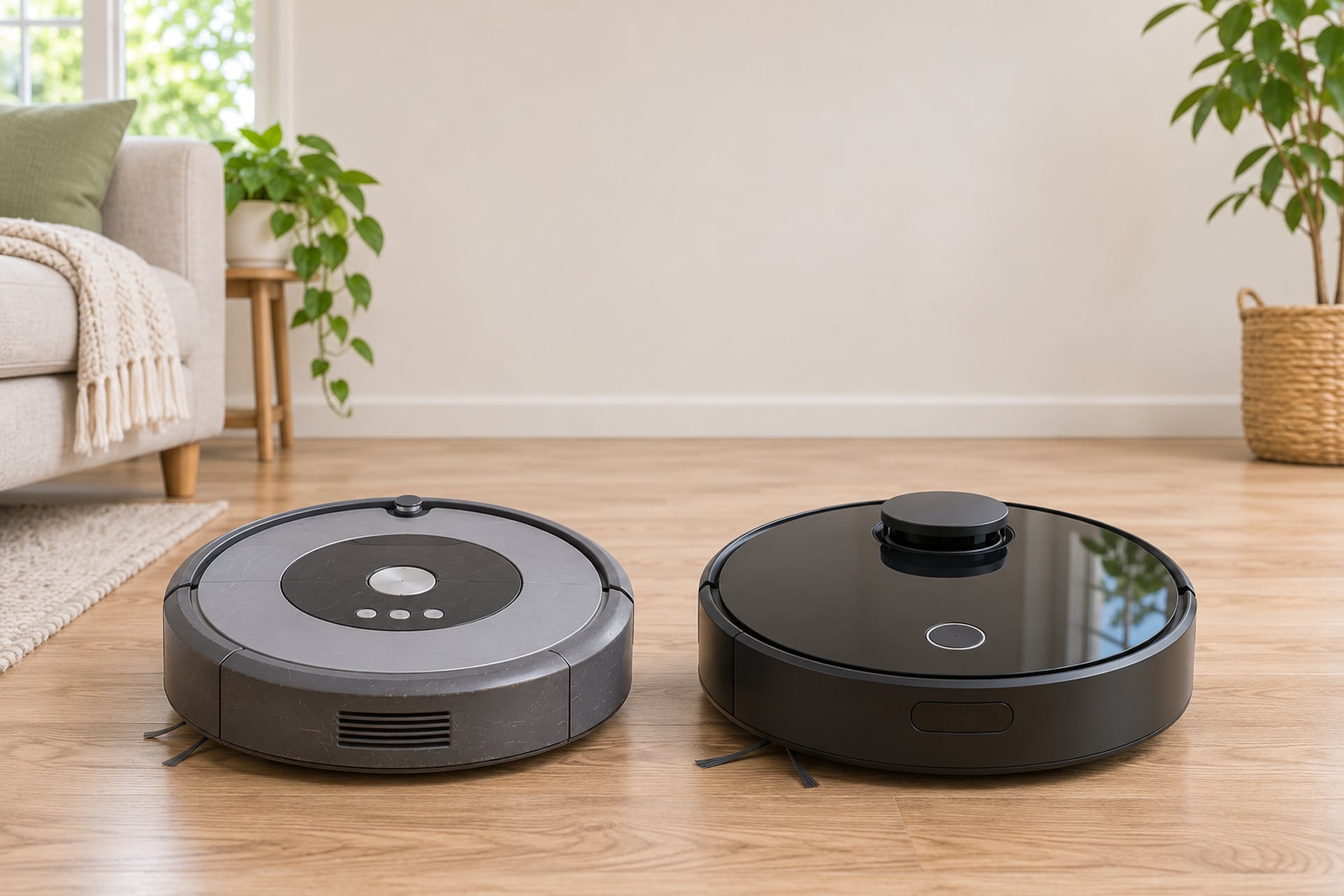
Roomba names are a puzzle if you did not choose the robot yourself. It may have come with a flat, a gift or a hand-me-down, and the only clue is a number like 694, i3 or j7+. That number tells you which generation you own, whether the app still knows about it, and which robot sold today sits in the same place in the range.
This guide does three jobs. It shows you where iRobot says the model number is printed and how the series is read from it. It walks through the older series one by one, the 600, e, i, j and s lines and the Combo robots, with what iRobot publishes about the app and Wi-Fi for each. And it names the current Roomba we would look at as a replacement, labeled clearly as our judgment, not iRobot's.
We read specifications and support pages; we do not run robots ourselves, and we never print prices on this page. If you are shopping for a new robot rather than identifying an old one, our Roomba reviews rank the current line. Every source is listed at the end with the date we read it.
How to Find Your Roomba's Model Number
Start with the robot itself, because that is where iRobot puts the answer. The two things people mix up here are the model number and the serial number, and iRobot's support pages treat them as different.
Turn the Robot Over
iRobot's support article on finding the model number and series says to turn the robot over, and that the model number is printed near the left wheel, on the underside of the robot. That is the number you want for compatibility, parts and support. If you are checking a used robot, read the underside first and do not trust the name in a seller's title.
Do Not Confuse It With the Serial Number
The serial number is a separate identifier, and iRobot's serial number article gives different places for it. On the Roomba HOME app it sits in Product Settings, under the details for your robot's name. On the robot, iRobot says to remove the bin, turn the robot over and look where the bin was. The same article says that the Roomba 400 Series, the Dirt Dog and the Create have the number under the battery. The serial number does not tell you the series by itself, so keep it for a warranty or support request and use the model number to identify the robot.
Read the Series From the First Character
iRobot says to use the first digit or letter of the model number to determine the series, and gives three examples: model 565 belongs to the 500 Series, model 980 to the 900 Series, and model i7 to the i Series. That rule is why the old numbered robots form families by hundreds, and why the letter lines are easy to sort: an i3 is an i Series robot, a j7 is a j Series robot, an s9 is an s Series robot.
How Roomba Names Work
Once you know the series, the rest of the name follows a few habits. iRobot does not publish one page that defines every term, so we say what its own pages show and where we are describing a pattern instead of a rule.
Numbers First, Then Letters, Then Words
The older robots carry plain numbers, such as the 600, 800 and 900 families. The later robots switched to a letter and a digit: e, i, j and s. The robots on sale now are named with a word, a number and sometimes a second word. On iRobot's current Roomba page you find names such as Roomba 105 Vac, Roomba 205 DustCompactor Combo, Roomba Plus 415 Combo, Roomba Max 775 Combo and Roomba Combo 10 Max. We found no iRobot page that explains what each number in those names stands for, so we do not guess. What we can say is what each listed robot is: a Vac vacuums, and a Combo vacuums and mops.
What the Plus Sign and the Word Plus Point To
The older letter robots appear with a plus sign in iRobot's lists, as in i3+, i7+, j7+ and Combo j9+, and the current names spell it as a word. We found no iRobot page that defines the plus, so this is what we observe, not a rule. The Roomba Plus 405 Combo page describes an AutoWash dock that empties the bin, washes the pads and dries them, with up to 75 days of auto-emptying. iRobot's Roomba page also lists the Roomba 105 Vac with an AutoEmpty dock. So in practice the plus is a clue that a dock does work for you, but the dock type, AutoEmpty or AutoWash, is the part to read on the listing.
Combo Means a Mop
iRobot's comparison chart notes that a Roomba labeled Combo mops, and it lists Combo robots next to the vacuum-only ones. The Combo naming runs through the older letter robots too: the setup article names the Combo i5, the Combo j5, the Combo j7+ and Combo j9+ and the Combo i8 as separate models from the plain i and j robots. If you are matching parts, that difference matters, which is why our Roomba replacement parts guide reads the fit list on each listing.
The Older Series and Their Replacements
The table puts the older lines side by side. The Wi-Fi bands come from iRobot's setup article for connected robots, and the compatibility row comes from iRobot's article on software compatibility with the HOME app. Neither article shows a date, so treat them as the current text of those pages, not as a guarantee. The replacement row is our own judgment: we match the dock type and the tier, never the name, and we say so under each series below.
| Series | 600 Series (670, 690, 694) | e Series | i Series (i1 to i8) | j Series and Combo j | s Series (s9) |
|---|---|---|---|---|---|
| Wi-Fi band (iRobot setup article) | 2.4 GHz only for the 670 and 690; models below 670 cannot connect to Wi-Fi | Not named in the table we read | i1 to i5 and Combo i5: 2.4 GHz only. i6, i7 and i8: 2.4 and 5 GHz | j5, j7, j9, Combo j5 and Combo j7+/j9+: 2.4 and 5 GHz | s9: 2.4 and 5 GHz |
| Named in iRobot's HOME app compatibility article | 690 is named | e Series is named | i1/i1+, i3/i3+, i4/i4+ and i7/i7+ are named | Not named in that article | s Series is named |
| Our current pick (editorial) | Roomba 105 Vac | Roomba 105 Vac, or the 205 DustCompactor | Roomba Max 715 Vac for an i7+, Roomba 105 Vac AutoEmpty for an i3+ | Roomba Max 715 Vac for a j7+, Roomba Plus 415 Combo for a Combo j | Roomba Max 875 Combo |
| Parts | Battery and kits on the parts guide | Kits on the parts guide | Kits on the parts guide | Kits on the parts guide, with exceptions for Combo j7+ and j9+ | Check the fit list on each listing |
600 Series (670, 690, 694)
Show specifications
- Wi-Fi band (iRobot setup article)
- 2.4 GHz only for the 670 and 690; models below 670 cannot connect to Wi-Fi
- Named in iRobot's HOME app compatibility article
- 690 is named
- Our current pick (editorial)
- Roomba 105 Vac
- Parts
- Battery and kits on the parts guide
e Series
Show specifications
- Wi-Fi band (iRobot setup article)
- Not named in the table we read
- Named in iRobot's HOME app compatibility article
- e Series is named
- Our current pick (editorial)
- Roomba 105 Vac, or the 205 DustCompactor
- Parts
- Kits on the parts guide
i Series (i1 to i8)
Show specifications
- Wi-Fi band (iRobot setup article)
- i1 to i5 and Combo i5: 2.4 GHz only. i6, i7 and i8: 2.4 and 5 GHz
- Named in iRobot's HOME app compatibility article
- i1/i1+, i3/i3+, i4/i4+ and i7/i7+ are named
- Our current pick (editorial)
- Roomba Max 715 Vac for an i7+, Roomba 105 Vac AutoEmpty for an i3+
- Parts
- Kits on the parts guide
j Series and Combo j
Show specifications
- Wi-Fi band (iRobot setup article)
- j5, j7, j9, Combo j5 and Combo j7+/j9+: 2.4 and 5 GHz
- Named in iRobot's HOME app compatibility article
- Not named in that article
- Our current pick (editorial)
- Roomba Max 715 Vac for a j7+, Roomba Plus 415 Combo for a Combo j
- Parts
- Kits on the parts guide, with exceptions for Combo j7+ and j9+
s Series (s9)
Show specifications
- Wi-Fi band (iRobot setup article)
- s9: 2.4 and 5 GHz
- Named in iRobot's HOME app compatibility article
- s Series is named
- Our current pick (editorial)
- Roomba Max 875 Combo
- Parts
- Check the fit list on each listing
600 Series, Including the 694
The 600 Series is the numbered line most people still own. iRobot's setup article lists the 670 and 690 as connected robots that use the 2.4 GHz band only, and it says that models below the 670 cannot connect to Wi-Fi at all. iRobot's page for the Roomba 694 does not call it discontinued or retired; it lists the robot as available only at select retailers, and it says you can start a clean through the iRobot Home app or a Google or Alexa assistant. So a 694 is not an abandoned robot on iRobot's own pages.
Our pick to replace one is the Roomba 105 Vac, because it fills the same entry-level slot, a plain robot on a charging base. That is an editorial match. If your 600 still cleans and holds a charge, the cheaper step is a new filter, side brush or battery, and the parts guide lists the fits.
e Series
iRobot's compatibility article names the e Series, so a Wi-Fi e5 or e6 is still on the list of robots the HOME app is described as working with. The setup article table we read does not give the e Series its own Wi-Fi band line, so we do not state one. To replace an e Series, the closest idea is an entry robot without a bin-emptying dock: the Roomba 105 Vac. If you want a compacting bin, iRobot also lists a Roomba 205 DustCompactor Combo on its Roomba page; we do not link a 205 because we could not confirm a listing we are happy to send you to.
i Series: i3, i7 and i8
The i Series is split in two by Wi-Fi band. iRobot's setup article says the i1 to i5 and the Combo i5 use the 2.4 GHz band only, while the i6, i7 and i8 use both 2.4 and 5 GHz. The compatibility article names the i1, i3, i4 and i7 robots, with their plus versions. An i3 or i3+ sits at the entry of the letter line, and our pick is the Roomba 105 Vac with the AutoEmpty dock, which keeps the bin-emptying idea at a similar tier. An i7 or i7+ was a step up with a self-emptying dock, and the nearest match we see on iRobot's page is the Roomba Max 715 Vac with the AutoEmpty dock, which iRobot's vacuum page marks as new. If you want mopping too, move to a Combo from the current line below.
j Series: j7, j7+ and j9
The setup article lists the j5, j7, j9 and the Combo j7+ and Combo j9+ as robots that use both bands. We do not see the j Series named in the compatibility article, but that article is a short list, so its silence is not a retirement notice. For a j7 or j7+, we would look at the Roomba Max 715 Vac with the AutoEmpty dock, a current vacuum-only robot with a self-emptying dock. If you want to keep the mopping and washing side of a Combo j7+ or j9+, the Roomba Plus 415 Combo is where we would start. These are our matches by dock and tier; iRobot has not named a successor for any of them in the pages we read.
s Series: the s9 and s9+
The s9 appears in both iRobot articles: it uses both Wi-Fi bands in the setup article, and the s Series is named in the compatibility article. For the top of the old range, our match is the Roomba Max 875 Combo, which iRobot lists with an AutoWash dock and which we cover in our Roomba reviews.
Combo Robots: j5, j7 and i5
The Combo i5, Combo j5, Combo j7+ and Combo j9+ are named in the setup article, and the Combo i5 is 2.4 GHz only while the others are 2.4 and 5 GHz. The comparison chart still lists the Roomba Combo j7, Combo j7+ and Combo j9+ among iRobot's Roomba products. For a Combo that you want to replace with a washing dock, the Roomba Plus 415 Combo and the Roomba Max 775 Combo are the two we would compare first, and the Roomba 205, 405 and 505 guide covers the lower tier.
Current Roombas we match to the older series
-

Roomba 105 Vac
The entry match for a 600 Series or an e Series. The listing title states LiDAR navigation and a charging base.
at AmazonCheck on Amazon -

Roomba 105 Vac AutoEmpty
The entry match for an i3+. The listing title states a dock that self-empties for 75 days.
at AmazonCheck on Amazon -

Roomba 105 Combo
The entry robot that also mops. The listing title says it avoids mopping carpets.
at AmazonCheck on Amazon -

Roomba Max 715 Vac
Our match for an i7+ or a j7+. The listing title states an AutoEmpty dock.
at AmazonCheck on Amazon -

Roomba Plus 405 Combo
A Combo with an AutoWash dock. iRobot's page states up to 75 days of auto-emptying.
at AmazonCheck on Amazon -

Roomba Plus 415 Combo
Our match for a Combo j7+ or j9+. The listing title states spinning mops and a self-cleaning, hot-dry dock.
at AmazonCheck on Amazon -

Roomba Max 775 Combo
A step up with a roller mop and a multifunction dock, per the listing title.
at AmazonCheck on Amazon -

Roomba Max 875
Our match for an s9+. The listing title states a roller mop, self-emptying and an AutoWash dock.
at AmazonCheck on Amazon -

Roomba Max 705 Combo
An earlier Max Combo with an AutoWash dock, per the listing title.
at AmazonCheck on Amazon
The Current Roomba Line
iRobot's current Roomba page lists the robots on sale as a handful of families. This section only summarizes them; the ranked picks are in our Roomba reviews.
Entry Robots: 105 and 205
The Roomba 105 comes as a Vac and as a Combo, and iRobot shows both with an AutoEmpty dock on its Roomba page. The Roomba 205 DustCompactor Combo is listed too, with the DustCompactor name in place of a dock. For a closer look at the 105, read our Roomba 105 review.
Plus 405, 415, 505, 515, 575 and 678
These are the Combo robots with an AutoWash dock. The Plus 405 Combo page states dual spinning mop pads that lift when the robot senses carpet, ClearView LiDAR mapping and up to 75 days of auto-emptying. iRobot's page lists the Plus 415, 515, 575 and 678 Combo robots with the same AutoWash dock. If you are choosing among the lower robots in this group, the guide to the Roomba 205, 405 and 505 compares them.
Max 705, 715, 775 and 875
The Max robots are the upper range. iRobot's pages list the Max 715 Vac with an AutoEmpty dock and mark it as new, the Max 775 Combo and the Max 875 Combo with AutoWash docks, and mention the Max 705 Vac and Combo. For the Combo, read our Roomba Max 705 Combo guide. iRobot's own pages disagree with themselves in places: one card shows the Max 715 as a Vac while the text calls it a Combo, so read the listing for the exact version before you buy.
Keep the Old One or Upgrade?
The cheapest robot is the one you already own, so start with what is actually wrong with it. Most complaints about an older Roomba come from a worn consumable, not from the robot being obsolete.
When Parts Are the Better Move
If the robot still maps, cleans a full room and docks, replace what wears: the filter, the side brush and the main brushes. We list kits by series in our Roomba replacement parts guide, and the fit list on each listing decides whether a kit is right for your model. A battery that no longer holds a charge is the other common fix, and our Roomba battery replacement guide covers it. If the robot acts up and you are not sure how to reset it, the Roomba reset guide is the first stop.
When Replacing Makes Sense
Replace when the thing you miss is a feature a part cannot add: a dock that empties itself, mopping, or a Wi-Fi band your router now uses. The setup article is useful here. A robot that supports only the 2.4 GHz band, such as the 600 Series robots and the i1 to i5, needs a router that offers that band. A robot below the 670 cannot connect to Wi-Fi at all, per iRobot, so the app is not an option for it.
Check the App Before You Decide
iRobot's setup article sends several older lines to a different guide: the Roomba 100 and 1000 Series, the 200 and 2000 Series, the Plus 400 Series, the Plus 500 Series and the Max 700 Series are listed that way, along with the Roomba Mini. If you own one of these, open iRobot's support page for your exact model instead of using the general instructions.
Parts for the older series
-

Replenishment kit, Roomba 800 and 900 Series
The listing title states 3 AeroForce filters, 2 spinning side brushes and 1 set of multi-surface rubber brushes.
at AmazonCheck on Amazon -

High-efficiency filters, Roomba 800 and 900 Series
A 3-pack of filters for the 800 and 900 Series only, per the listing title.
at AmazonCheck on Amazon -

Replenishment kit, Roomba e, i and j Series
The listing title states it is not compatible with the Combo j7+ or Combo j9+.
at AmazonCheck on Amazon -
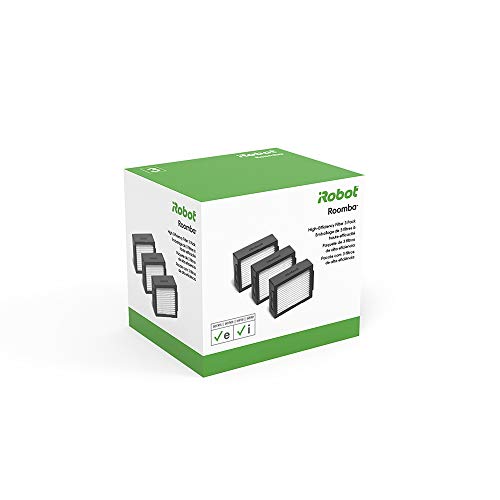
High-efficiency filters, Roomba e, i and j Series
A 3-pack, listed for the Combo i5 and j5 as well.
at AmazonCheck on Amazon -

Dual multi-surface rubber brushes, e, i and j Series
Replacement main brushes for the letter-series robots, per the listing title.
at AmazonCheck on Amazon -

Third-party NiMH battery for Roomba 500 to 800
Not an iRobot part. The listing title names the 500, 600, 700 and 800 Series.
at AmazonCheck on Amazon
What the iRobot Sale Means for Older Models
The question under most searches for an old Roomba is whether iRobot will keep supporting it. The company went through a bankruptcy and a sale, and the honest answer is a promise about now and silence about later. Our full account is on the iRobot bankruptcy page.
What iRobot Said
In its announcement of December 14, 2025, iRobot said it anticipated no disruption to its app functionality and customer programs, and it listed ongoing product support among the things it expected to continue, while it completed a prepackaged Chapter 11 process. The Robot Report, in its coverage dated January 23, 2026, said iRobot is now a private company fully owned by Shenzhen Picea Robotics and quoted its commitment to continue to produce and support its fleet of millions of robotic vacuum cleaners.
What Nobody Has Promised
None of the pages we read gives an end-of-support date for any series, old or new, and we found no iRobot page that retires a model. So we cannot say that a 600, an i7 or a j7 will work with the app for any set number of years. What we can say is that the setup and compatibility articles still list these robots today, and that iRobot's pages for them are still up. If the app matters to you, keep your account in your own name and read the support page for your exact model once a year.
More from our guides: Roomba spinning in circles
Product prices and availability are accurate as of the date/time indicated and are subject to change. Any price and availability information displayed on Amazon.com at the time of purchase will apply to the purchase of this product. Prices on this page are read again from Amazon once a reading is an hour old, and a price is hidden when the latest reading is more than 24 hours old. CERTAIN CONTENT THAT APPEARS ON THIS SITE COMES FROM AMAZON. THIS CONTENT IS PROVIDED 'AS IS' AND IS SUBJECT TO CHANGE OR REMOVAL AT ANY TIME.
Sources
- iRobot Support, How do I find the model number and series of Roomba robot vaccum?, homesupport.irobot.com, read on November 19, 2026 Source for the model number printed near the left wheel on the underside and for reading the series from the first digit or letter, with the 565, 980 and i7 examples. The page shows no date.
- iRobot Support, Where Do I Find the Serial Number?, homesupport.irobot.com, read on November 19, 2026 Source for the serial number locations: the HOME app Product Settings, under the bin, and under the battery on the 400 Series. The page shows no date.
- iRobot Support, Setting up your Wi-Fi Connected Robot with the iRobot HOME App, homesupport.irobot.com, read on November 19, 2026 Source for the 2.4 and 5 GHz table by series, the statement that models below the 670 cannot connect to Wi-Fi and the list of older lines sent to a separate setup guide. The page shows no date.
- iRobot Support, Software Compatibility of a Wi-Fi connected Roomba and the iRobot HOME App, homesupport.irobot.com, read on November 19, 2026 Source for the list of robots named as compatible: i1, i3, i4, i7, s Series, 900 Series, 890, 690 and e Series. The page shows no date.
- iRobot, Compare Robot Vacuums, irobot.com, read on November 19, 2026 Source for the models named on iRobot's comparison page, the Combo naming and the AutoWash dock on the Combo 10 Max. The page does not label any model current or discontinued.
- iRobot, Roomba robot vacuums page, irobot.com, read on November 19, 2026 Source for the current model names and the dock type iRobot shows for each: Max 775, Max 715 Vac, Plus 415, 515, 575 and 678, the 205 DustCompactor Combo, the 105 Vac and Combo, the Max 875 Combo and the Combo 10 Max.
- iRobot, robot vacuums page, irobot.com, read on November 19, 2026 Source for the Max 715 Vac Series carrying a New label and for the Plus 400 and 500 Series Combo with the AutoWash dock.
- iRobot, Roomba Plus 405 Combo Robot + AutoWash dock, irobot.com, read on November 19, 2026 Source for the AutoWash dock, the spinning mop pads that lift over carpet, ClearView LiDAR and up to 75 days of auto-emptying.
- iRobot, Roomba 694 Robot Vacuum, irobot.com, read on November 19, 2026 Source for the page listing the 694 as available only at select retailers, with no discontinued label, and for control through the iRobot Home app or a voice assistant.
- iRobot, Announces Strategic Transaction to Drive Long-Term Growth Plan, media.irobot.com, December 14, 2025, read on November 19, 2026 Source for the anticipated no disruption to app functionality and customer programs, ongoing product support and the February 2026 target for the prepackaged Chapter 11 process.
- The Robot Report, iRobot emerges from Chapter 11 as restructured Picea U.S. subsidiary, January 23, 2026, read on November 19, 2026 Source for the full ownership by Shenzhen Picea Robotics and the commitment to produce and support its fleet of millions of robotic vacuum cleaners.
- Retail Dive, article on iRobot's Chapter 11 filing, December 2025, read on November 19, 2026 Source for inflation and interest rates from 2021, the 2022 Amazon deal and its collapse, the tariffs on Vietnam imports cited in court documents and the roughly 40% workforce cut in late 2024.
- Manufacturer product listings for the Roomba models and parts linked on this page, Amazon US, read on November 19, 2026 Every product note comes from the listing title for that item. Anything a listing does not state is left out.
The RobotVacuumer letter
New robot vacuum picks and plain advice on choosing and living with one, about once a month.