Explainer
How Robot Vacuums Work, From the First Bump to the Self-Emptying Dock
What is inside a robot vacuum, how it finds its way around your home, how a Roomba fits in, and what mopping robots and self-emptying docks add.
As an Amazon Associate we earn from qualifying purchases, at no cost to you. How we make money.
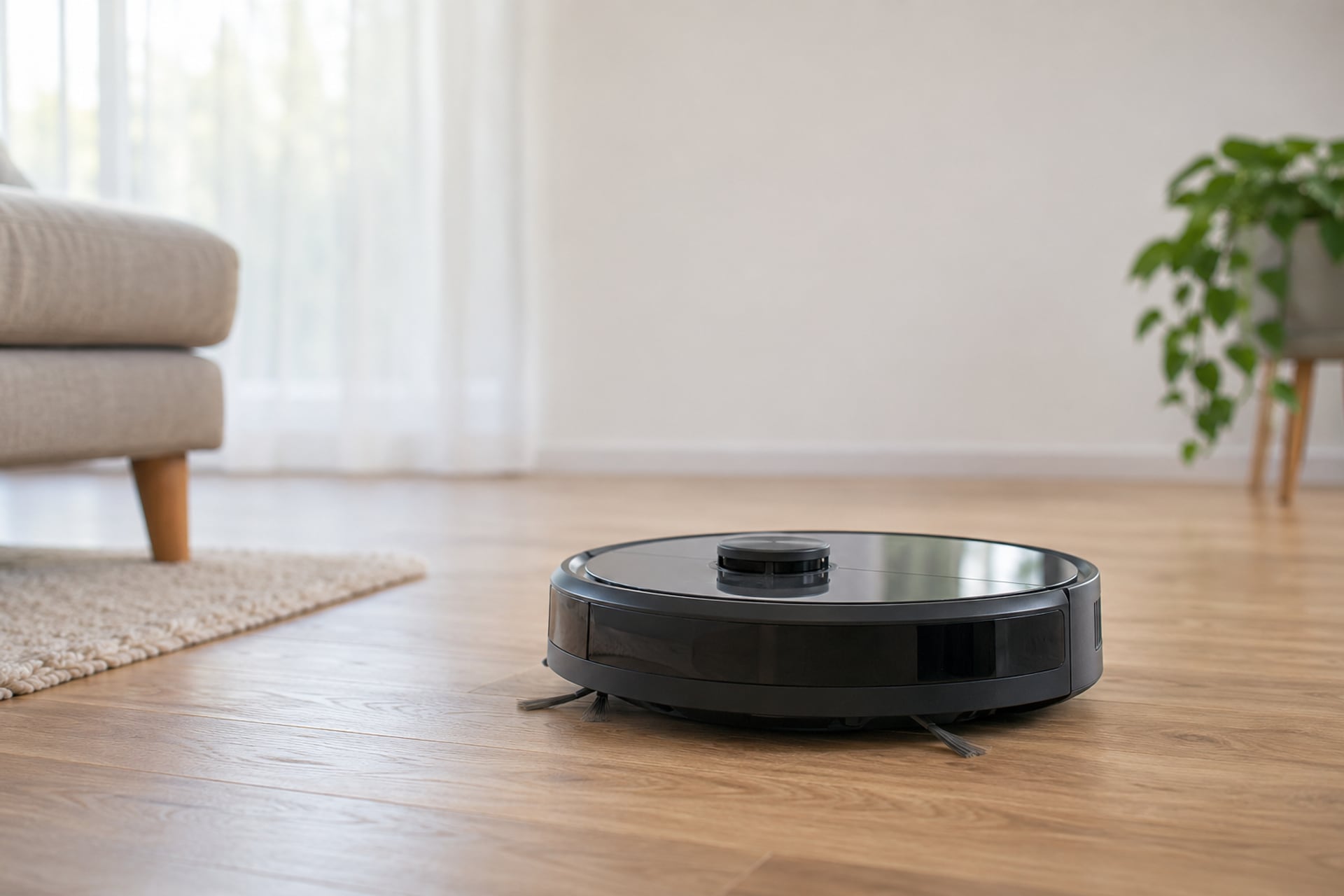
A robot vacuum works by combining three things: a brush and a fan that lift dust off the floor, sensors that stop it falling down stairs or driving into walls, and a navigation system that decides where to go next. Everything else, from the app to the self-emptying dock, is built around those three jobs. This guide takes them in order, starting with the parts you can see and ending with the dock.
It also answers the question most people type once a robot is in the house: how does a Roomba work? A Roomba follows the same rules as every other robot vacuum, and the iRobot Roomba 105 Vac listing is a clear example, so we use it. Every specification below comes from the maker's own product listing, and where a listing says nothing we write "not stated". If you are still deciding whether to buy one, read are robot vacuums worth it first. This page explains the mechanism, not the purchase.
The Parts Inside a Robot Vacuum
Open any robot vacuum and you find a small version of the machine in your cupboard, laid flat. There is a cleaning head on the underside, a bin, a filter, a battery and a ring of sensors. Knowing what each one does makes the spec sheets much easier to read.
Brushes and Suction
Most robots clean with two kinds of brush working together. A main brush runs across the underside and flicks dust and hair toward the opening. A smaller side brush sweeps debris from the edge of the robot into that path, which is how a round machine reaches along a skirting board. Suction then lifts what the brushes loosen.
The listings describe this in different words. iRobot lists a multi-surface brush and an edge-sweeping brush on the Roomba 105 Vac. ILIFE describes a tangle-free suction port on the V2, built to pick up hair without wrapping. Roborock lists a 22,000 Pa suction rating for the Saros 10R, a zero-tangle main brush and a side brush that extends to reach corners. Suction numbers in Pa are the maker's own and are not measured the same way by every brand, so compare them inside one brand rather than across brands. The Roomba 105 Vac listing gives no Pa figure; it states only the claim of 70 times more power-lifting suction than Roomba 600 series robots.
Bin and Filter
The dirt goes into a bin inside the robot, behind a filter that keeps fine dust from blowing back out of the exhaust. The bin is small because the robot has to be small to fit under furniture. ILIFE lists a 300 ml dustbin on the V5s Plus, for example, and says nothing about bin size on the V2. A small bin is the reason basic robots need emptying after most runs. Filters wear out, which is why the Roomba Home app lists a filter life check among its features.
Battery and Charging
A battery runs the wheels, the brush motor and the fan. The ILIFE V2 listing states up to 120 minutes of cleaning on one charge and says the robot returns to its charging dock when the battery runs low. The Roomba 105 Vac listing goes a step further: it sends itself to recharge when needed and picks up cleaning where it left off. That recharge-and-resume behavior only works when the robot knows where it has already been, which is one of the quiet benefits of a map.
Cliff and Bump Sensors
Two kinds of sensor keep a robot out of trouble. A bumper on the front detects contact with a wall or a chair leg and tells the robot to turn. Sensors on the underside look down and stop the robot driving off a step. iRobot's listing says the Roomba 105 Vac has "specialized sensors" that prevent it falling down stairs. Keep them clean: a smudge over a sensor window is the most common reason a robot stops where it should not. Our robot vacuum cleaning guide covers the routine.
How a Robot Vacuum Finds Its Way
Navigation is the biggest difference between a cheap robot and an expensive one, and it decides how well the robot covers your floor. There are three broad approaches, and each one is a step up in how much the robot knows about your home.
Random Paths and Gyro Sensors
The simplest robots do not map anything. They drive until they bump something, turn, and drive on, and over a long enough run the paths cover most of an open floor. Some add a gyroscope, a small sensor that tracks which way the robot is facing, so it can drive in straighter lines instead of wandering. A robot like this has no memory of the room. It cannot tell you where it cleaned, cannot stop and carry on after a recharge from the same spot, and covers a large or awkward home unevenly.
Maker listings at this tier rarely say which method they use. The ILIFE V2 listing mentions auto, spot and edge cleaning modes, a physical remote and a preset schedule, but it does not state a navigation method, so we cannot say if it has a gyro. A listing that mentions no map and no app is describing a simple robot, so expect a less even pattern in a big room.
LiDAR Laser Mapping
LiDAR stands for light detection and ranging. A small laser rotates on top of the robot, measures the distance to the nearest surface in every direction and, over a few minutes, builds a floor plan. With a plan, the robot can clean in neat rows, remember rooms, return to the dock and resume where it stopped, and obey a command such as "clean the kitchen". iRobot lists ClearView LiDAR on the Roomba 105 Vac and says it "quickly maps your home to maximize coverage" while steering around obstacles. The same listing adds that you can set a custom clean, target rooms and create keep-out zones in the app, all of which depend on the map. Our LiDAR robot vacuum guide lists models that use it.
The one limit is the laser itself. It sees a flat slice of the room at the height of the turret. It sees chair legs and walls well, but it does not recognize a sock or a cable lying below that slice, and the raised turret adds height to the robot.
Camera and AI Obstacle Avoidance
The top tier adds sensors that look at the floor ahead, not just across the room. Roborock calls the Saros 10R system StarSight Autonomous System 2.0, which it describes as 3D sensing that removes the need for a raised laser unit. Its VertiBeam lateral obstacle avoidance is listed as helping the robot navigate cables and irregular furniture, and Roborock says the robot adapts to 108 obstacle types. The listing also mentions a built-in RGB camera, but describes it as a way to check in on pets by video. It does not say which sensor does the obstacle recognition, so we do not claim that either.
What this class of navigation buys is fewer stuck robots. A model that can tell a cable from a rug fringe will drive around one and over the other. What it does not buy is a tidy floor: no obstacle avoidance makes clutter safe to leave out, and the maker's own count of obstacle types is not a promise about your sock drawer.
-
 Simple navigationBudget robots that wander or drive straighter with a gyro.
-
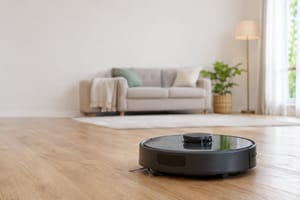 LiDAR mappingLaser maps, neat rows, rooms and keep-out zones.
-
 Camera and 3D avoidancePremium robots that also steer around objects.
How Does a Roomba Work?
A Roomba is a robot vacuum like any other, so everything above applies. What is particular is the way iRobot packages it, and the Roomba 105 Vac listing shows the pattern well. It states a "3-Stage Cleaning" system: suction, a multi-surface brush and an edge-sweeping brush. It maps with ClearView LiDAR, so it can clean in rows. And it is controlled three ways: by voice through Alexa, Siri or Google Assistant, by the Roomba Home app, or by pressing the robot's buttons.
In practice that means a first run, a map that the robot keeps, and then commands that refer to the map. In the app you pick rooms, set the number of cleaning passes and the suction level, and mark keep-out zones. The listing says spot cleaning makes the robot work on one area repeatedly for up to 5 minutes. When the battery runs low it goes back to charge and then continues the job.
The 105 Vac is a vacuum only. The listing does not mention a mop, a bin size or a runtime, and it describes recharging, not emptying, so you empty the bin yourself. It uses a 2.4 GHz network for setup and operation. For a deeper look at what that trade-off means, see the Roomba section of our robot vacuum picks.
How Mopping Robots Work
A mopping robot adds a water tank and something to wipe with. The idea is the same in every design: damp fabric on the floor lifts the film that a vacuum leaves behind. The designs differ in how the fabric moves.
Pads Dragged Behind the Robot
The simplest mop is a flat pad that the robot drags as it drives. Water seeps from a tank onto the pad, which wipes a thin line. This is good for light film on hard floors and weak on dried-on marks. The ILIFE V5s Plus listing shows the budget version of this idea: a 300 ml dustbin and a 300 ml water tank that switch over, and a note that the two are separate, so vacuum-and-mop at the same time is not supported.
Spinning Mops and Rollers
Better mops spin. The Saros 10R lists dual spinning mops, which press and rotate against the floor so they scrub as well as wipe. Roborock also states that a mop bracket lifts the mops when the robot detects carpet, to avoid wetting long-pile carpets. Lifting is the feature to look for, because a mop robot that cannot leave carpet dry is a problem in any home with both floor types. Some other designs use a roller that is rinsed as it turns, but none of the three products here use one, so we do not describe how any specific roller model works.
Where the Mop Gets Cleaned
A mop that is never cleaned just spreads dirt around. The cheapest robots leave that to you: you remove the pad and wash it. The Saros 10R dock does it for you, with 176°F hot water for mop washing and 131°F hot air for drying, plus an automatic tank refill and detergent dispenser, and an automatic re-wash and re-mop when it detects heavily soiled areas. Our vacuum and mop guide compares the options.
How Self-Emptying Docks Work
A self-emptying dock is a charging base with a second, much larger bin inside. When the robot docks, a fan in the base pulls the robot's small bin empty through a port and blows the dust into a sealed bag or a large tray in the dock. The robot is ready again, and you deal with the dock bin every few weeks instead of the robot bin every few days.
Makers state how long that lasts. The Saros 10R dock is listed with 60 days of automatic dust collection. Docks that do more are doing a separate job each time: Roborock describes the Saros 10R dock as a 10-in-one system that also refills the water tank, dispenses detergent, washes the mop with hot water and dries it. It cleans itself with hot water too, and charges the robot, with a quick charge listed at 2.5 hours. The Roomba 105 Vac listing describes none of this. It recharges and resumes, and the bin is yours.
There are trade-offs. A bigger dock takes more floor space, and a dock that holds water and detergent needs refilling and its own cleaning. A bag-based dock also means buying bags. And the dock does not replace upkeep: hair still wraps around brushes, and filters still wear. Our self-emptying robot vacuum guide compares the docks on offer.
Three Robots, Three Ways of Navigating
These three robots show the three approaches side by side. They are chosen for how they work, not as a ranking, and each review says who should skip it.
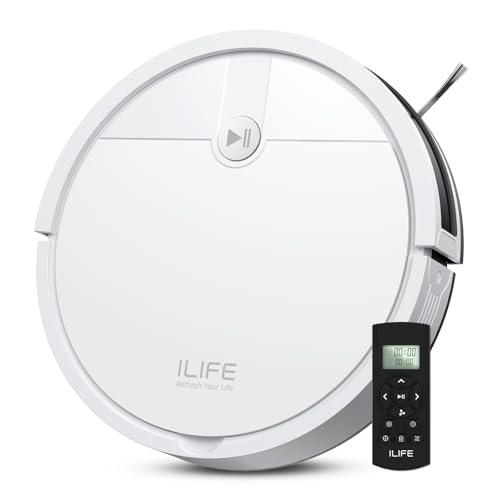
Simplest approach, no app needed
ILIFE V2
The plainest design of the three: a slim robot you start from a remote or one button. Its navigation method is not stated.
- Budget
- Buy it if
- You want a robot that anyone in the house can start without setting up an app.
- Skip it if
- You want a saved map, room selection or an app, none of which the listing mentions.
ILIFE lists a 2.99-inch body, a tangle-free suction port, and auto, spot and edge cleaning modes. It cleans up to 120 minutes on a charge and returns to its dock when the battery is low. The listing says no Wi-Fi connection is required, and it offers scheduled cleaning. Suction in Pa, bin size and navigation are not stated.
What stands out
- Physical remote, no Wi-Fi needed
- 2.99 inches tall, per the maker
- Up to 120 minutes per charge
Trade-offs
- Navigation method not stated
- No mapping or app described
- Bin size and suction not stated

Best example of LiDAR mapping
iRobot Roomba 105 Vac
A clear picture of how a Roomba works: it maps, cleans in rows, recharges and resumes, and takes room commands.
- Budget
- Buy it if
- You want a map-based robot in the simplest form, and you are happy to empty a bin.
- Skip it if
- You want a mop or a dock that empties the bin.
iRobot lists ClearView LiDAR, 3-Stage Cleaning, scheduling and room targeting, keep-out zones in the Roomba Home app, and voice control through Alexa, Siri or Google Assistant. It uses a 2.4 GHz network. The listing gives a 1 year manufacturer warranty and no mop, runtime or bin size.
What stands out
- LiDAR mapping with neat rows
- Room targeting and keep-out zones
- Recharges and resumes the job
Trade-offs
- No mop
- Bin emptied by hand
- Suction not stated in Pa

Best example of 3D obstacle avoidance
Roborock Saros 10R
The most advanced approach here: 3D sensing, obstacle avoidance and a dock that empties, refills, washes and dries.
- Premium
- Buy it if
- You want the robot to navigate around obstacles and you want the dock to handle the upkeep.
- Skip it if
- Your home is small and simple enough that a mapped robot with a basic dock would do the same job.
Roborock lists a 3.14-inch body, StarSight Autonomous System 2.0, VertiBeam lateral obstacle avoidance, 108 obstacle types, 22,000 Pa suction and dual spinning mops that lift on carpet. The dock has 60-day dust collection. It has a built-in RGB camera and supports 2.4 GHz Wi-Fi only. No warranty is stated.
What stands out
- 3D sensing, no raised laser unit
- Mops lift on carpet
- Dock empties, refills, washes and dries
Trade-offs
- More robot and dock than a small flat needs
- Built-in camera may not suit everyone
- Warranty not stated
Robot Vacuum FAQ
Sources
- Manufacturer product listings for the ILIFE V2, ILIFE V5s Plus, iRobot Roomba 105 Vac and Roborock Saros 10R, Amazon US, read on November 6, 2026 Every specification on this page is the maker's stated figure from its listing. Anything a listing does not state is marked as not stated.
The RobotVacuumer letter
New robot vacuum picks and plain advice on choosing and living with one, about once a month.