Care guide
How to Empty a Roomba, Bin and Base
How to empty the robot's own bin on each Roomba family, how to change the dock bag, which bag goes with which dock, and the checks iRobot lists when the dock will not empty the robot.
As an Amazon Associate we earn from qualifying purchases, at no cost to you. How we make money.
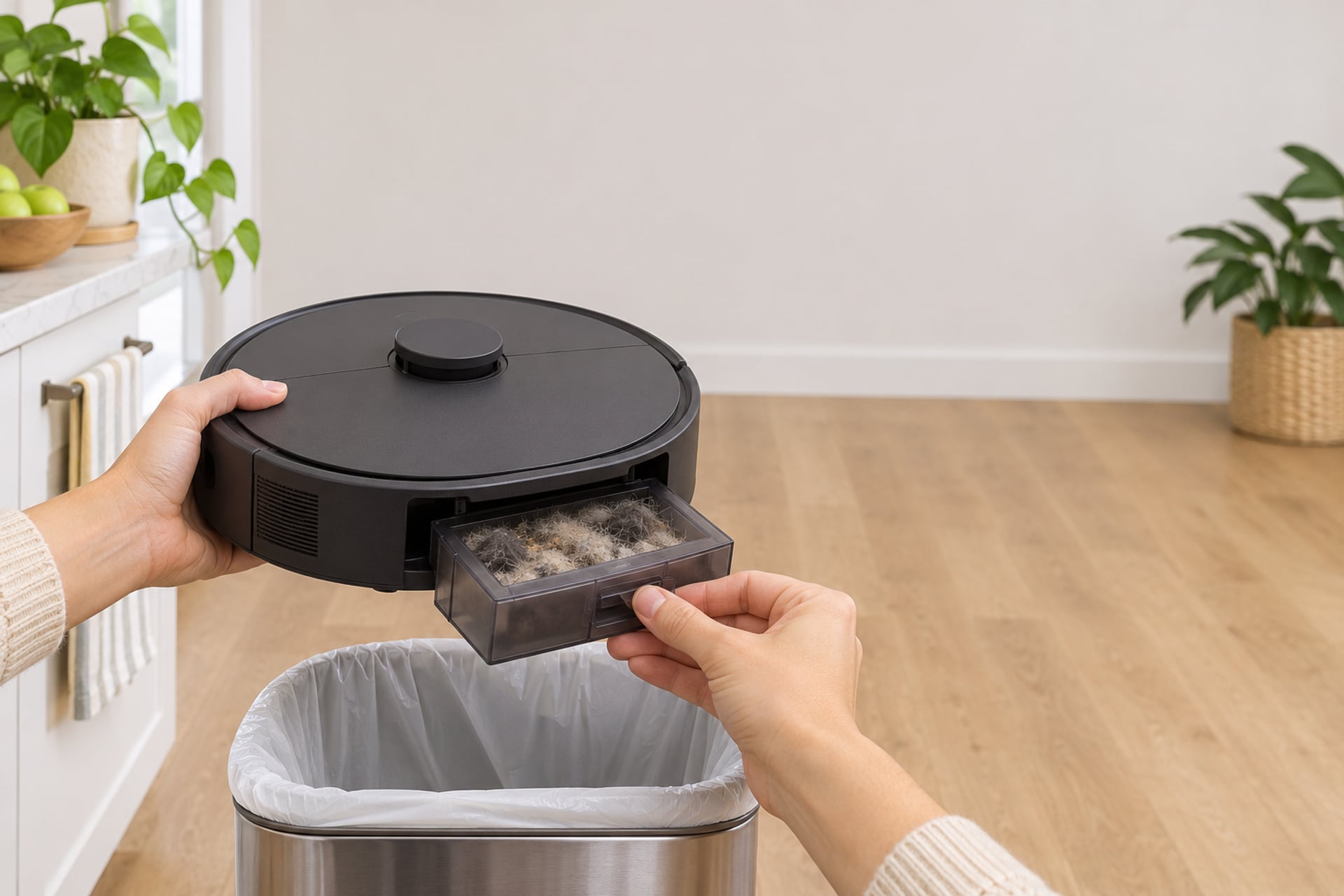
There are two things people mean by emptying a Roomba. One is the small bin inside the robot, which every Roomba has and which you empty by hand. The other is the bag in the dock, which only the models sold with a Clean Base or AutoEmpty dock have, and which the dock fills for you each time the robot docks. Both jobs are easy, and the steps differ a little by family, so this guide is split the same way.
Every step below comes from iRobot's own support pages or its owner's guide, and each is named in the sources at the end. Where iRobot does not say something, we say so instead of guessing. If your robot will not hand its dirt to the dock, skip to the troubleshooting section. If the whole robot is acting up, our robot vacuum troubleshooting guide is the wider checklist, and our how to clean a robot vacuum page covers brushes, wheels and sensors, which this page does not.
Emptying the Robot's Bin
The robot's own bin is where dirt collects before it goes to a dock, or the only place it goes if you have no dock. The release button sits in a different spot on different families, but the pattern is the same: take the bin out, open its door over a trash can, tap out the filter, and slide it back. Pick your family below.
Roomba 600 Series
Emptying the 600 Series Bin
-
Release the bin
Press the bin release tab and pull the bin out of the robot.
-
Open the bin door and empty it
Open the bin door over a trash can and let the dirt fall out.
-
Pull the filter and tap it clean
Pull the filter out and shake the debris off by tapping it against the lid of your trash can, then reinstall it.
-
Keep it dry
iRobot says the 600 series bin and filters are not designed to be washed or to come into contact with liquid.
Roomba 800 and 900 Series
Emptying the 800 and 900 Series Bin
-
Take the bin out
Remove the bin using its release tab and empty it into the trash.
-
Open the filter door
Press the filter door's release tab and lift the door to reach the filter.
-
Pull the filter by its yellow tab
Tap it over your trash container to shake out the debris. iRobot says these filters are not designed to be washed.
-
Reinstall the filter
Press the side of the filter against the metal lever to seat it, close the door and slide the bin back in.
Roomba e, i and j Series, and Combo 10 Max
Emptying the e, i and j Series Bin
-
Press the release button on the back
The release button is on the robot's back. Pull the bin straight out.
-
Open the bin door and empty it
Open the door over a trash can and let the debris fall.
-
Remove the filter and tap it
Pull the filter out from the left side of the bin and tap it over the trash can. iRobot says filters are not designed to be washed or to come in contact with liquid.
-
Rinse the bin by hand if you want to
iRobot says the bin on these series is designed to be rinsed by hand only, with warm water. Let it dry completely before the filter goes back in.
-
Refit the filter and the bin
Put the filter back into the bin and slide the bin into its slot until it clicks.
iRobot adds a cue for when to do this on these series: empty the bin when the light ring around the CLEAN button turns red, sweeps to the rear of the robot and flashes twice. If the full bin light stays on after you empty the bin and clean the filter, the next step is to wipe the full bin sensors, which is covered below.
Roomba s Series
Emptying the s Series Bin
-
Open the lid
Press the bin release tab to open the lid.
-
Lift the bin out by the handle
Lift up on the handle to remove the bin.
-
Empty it over a trash container
Over a trash container, press the bin release button to empty the bin.
-
Tap the filter
Open the filter door, remove the filter by its tab and tap it against the trash container. The filter door will not close unless the filter is seated correctly.
Roomba 105 Vac, 105 Combo and 100/1000 Series
Emptying the 105 and 100/1000 Bin
-
Press the dust bin release button
The owner's guide for the Roomba 105 Vac with AutoEmpty dock says to press the dust bin release button to remove the dust bin.
-
Open the door and empty the bin
Open the door to empty the dust bin and clean it with the cleaning brush that came with the robot.
-
Do not rinse or soak it
The guide is explicit: do not rinse or soak the bin. If your model has a water tank, that is a separate part, emptied after each job.
-
Put the bin back
Place the bin back in the robot. The guide says the 105 will not run in vacuuming mode or in vacuuming and mopping mode without the dust bin installed.
iRobot's separate article for the 100/1000 series gives the same three actions for the bin: press the bin release button, open the bin door to empty and clean it with the brush, and put it back. For a bag-and-dock model such as the 105, the bin steps are the same as without a dock: the dock only changes how often you need to do them. Our Roomba 105 guide covers the model itself.
Changing the Clean Base or AutoEmpty Bag
A dock that empties the robot stores the dirt in a disposable bag. The bag is both the container and a filter: iRobot says fine dust can block its pores. When the dock reports the bag as full, you replace it. The steps below are iRobot's for the Clean Base used with the i, j and s series.
Swap the Bag in Six Steps
Replacing the Clean Base Bag
-
Open the canister lid
Lift the lid of the dock's canister.
-
Pull the plastic card up
Pull up the plastic card near the vacuum port and lift the bag out. iRobot says this encloses the bag so no dust or debris can get out.
-
Throw the old bag away
Discard the used bag. Do not empty it for another go: iRobot says not to reuse a bag, because its pores may already be blocked, which raises the chance of a false bag full reading.
-
Slide the new bag in
Place the new bag in the canister and slide the plastic card into the guide rails.
-
Press the lid down
Press down until the lid is firmly closed. An open lid can make the dock behave as if the bag is missing.
-
Check the vacuum path
iRobot's last step is to make sure the vacuum path is not clogged. More on that in the troubleshooting section.
When the Dock Says the Bag Is Full
iRobot says a solid red light on the Clean Base means the bag is full. Its article on the dock reporting a full bag after only a couple of runs adds that the same light can appear when the bag is only partly full, because fine particles can block the pores. In that case iRobot's advice is to give the bag a light shake to loosen the particles and, if the problem continues, switch to a new bag. A bag that is genuinely full is replaced, not emptied.
iRobot also says newer models use a larger cardboard bag, while the original plastic bag is only for classic models, so confirm you have the right bag for your robot.
Forcing a Dock Empty by Hand
You can ask the robot to empty into the dock without waiting for a mission to end. On the i series and s series, iRobot says to press HOME while the robot is docked. On the j series and the Combo 10 Max, it says to hold the button for 2 to 5 seconds, and notes that the Combo 10 Max has an expected delay of about 10 seconds before it starts. You can also use the Empty Bin button in the app, below the CLEAN button. The Roomba Essential 2 empties from the app only. The 100/1000 series has no forced empty and evacuates on its own after a mission of 5 minutes or more.
Which Bag Fits Your Dock
Bags are not interchangeable across every Roomba dock. The table follows the compatibility lists in the Amazon listings for iRobot's own bags, which are the seller's statements, not iRobot's. Check the model name printed on your dock before you order.
| Dock | Bag the listing says fits | What the listing states |
|---|---|---|
| Clean Base for Roomba i1+, i3+, i4+, i6+, i7+, i8+, s9+ | iRobot Dirt Disposal Bags, 3 count or 12 count | Both listings name these i and s series Clean Base models |
| Clean Base for Roomba j6+, j7+, Combo j7+, j8+ | iRobot Dirt Disposal Bags, 3 count or 12 count | Both listings name these j series Clean Base models |
| Clean Base Auto-Fill dock for Roomba Combo j9+ | iRobot Dirt Disposal Bags, 3 count or 12 count | Both listings name the Combo j9+ dock |
| AutoWash dock for Roomba Combo 10 Max | iRobot Dirt Disposal Bags, 3 count or 12 count | Both listings name the Combo 10 Max AutoWash dock |
| AutoEmpty dock for Roomba 105 Vac and 105 Combo | iRobot Dirt Disposal Bags, 3 pack | A separate bag for select AutoEmpty and AutoWash docks, not the Clean Base bag |
| AutoEmpty dock for Roomba Max 705 Vac and Max 705 Combo | iRobot Dirt Disposal Bags, 3 pack | The same 3 pack as the 105 docks |
| AutoWash dock for Roomba Plus 405 Combo and Plus 505 Combo | iRobot Dirt Disposal Bags, 3 pack | The same 3 pack as the 105 docks |
Bag the listing says fits
Show specifications
- Clean Base for Roomba i1+, i3+, i4+, i6+, i7+, i8+, s9+
- iRobot Dirt Disposal Bags, 3 count or 12 count
- Clean Base for Roomba j6+, j7+, Combo j7+, j8+
- iRobot Dirt Disposal Bags, 3 count or 12 count
- Clean Base Auto-Fill dock for Roomba Combo j9+
- iRobot Dirt Disposal Bags, 3 count or 12 count
- AutoWash dock for Roomba Combo 10 Max
- iRobot Dirt Disposal Bags, 3 count or 12 count
- AutoEmpty dock for Roomba 105 Vac and 105 Combo
- iRobot Dirt Disposal Bags, 3 pack
- AutoEmpty dock for Roomba Max 705 Vac and Max 705 Combo
- iRobot Dirt Disposal Bags, 3 pack
- AutoWash dock for Roomba Plus 405 Combo and Plus 505 Combo
- iRobot Dirt Disposal Bags, 3 pack
What the listing states
Show specifications
- Clean Base for Roomba i1+, i3+, i4+, i6+, i7+, i8+, s9+
- Both listings name these i and s series Clean Base models
- Clean Base for Roomba j6+, j7+, Combo j7+, j8+
- Both listings name these j series Clean Base models
- Clean Base Auto-Fill dock for Roomba Combo j9+
- Both listings name the Combo j9+ dock
- AutoWash dock for Roomba Combo 10 Max
- Both listings name the Combo 10 Max AutoWash dock
- AutoEmpty dock for Roomba 105 Vac and 105 Combo
- A separate bag for select AutoEmpty and AutoWash docks, not the Clean Base bag
- AutoEmpty dock for Roomba Max 705 Vac and Max 705 Combo
- The same 3 pack as the 105 docks
- AutoWash dock for Roomba Plus 405 Combo and Plus 505 Combo
- The same 3 pack as the 105 docks
Replacement Dock Bags from iRobot
Authentic iRobot bags, read from the Amazon listings. Match the bag to your dock in the table above, not to the robot alone.
-
1Clean Base bags for i, j and s series docks (3 count)
iRobot Authentic Replacement Parts Dirt Disposal Bags, 3 count
The listing names the Clean Base docks for the i1+, i3+, i4+, i6+, i7+, i8+, j6+, j7+, Combo j7+, j8+ and s9+, the Auto-Fill dock for the Combo j9+ and the AutoWash dock for the Combo 10 Max. It lists 3 bags in the box and a 1 year limited warranty.
-
2The same docks, bigger pack (12 count)
iRobot Authentic Replacement Parts 12 Count Dirt Disposal Bags
The listing carries the same Clean Base and AutoWash dock compatibility as the 3 count pack and states that full bags can clog the dock and stop the robot emptying. It is the one to look at if you empty the dock often.
-
3AutoEmpty and AutoWash docks for the 105, Max 705 and Plus 405 and 505
iRobot Roomba Authentic Dirt Disposal Bags, 3 pack
The listing names the Roomba 105 Vac and Combo, the Plus 405 and 505 Combo with the AutoWash dock and the Max 705 Vac and Combo with the AutoEmpty dock. It says each bag holds up to 75 days of dirt and debris, which is iRobot's own figure and not one we measured.


Compatibility and capacity are the listing's statements. More on bags and other consumables in our <a href="/roomba-replacement-parts/">Roomba replacement parts guide</a>.
Why Your Roomba Isn't Emptying
When the robot docks and the dock does not take the dirt, iRobot's troubleshooting article for robots not evacuating or not communicating with the dock works through the same short list. The first step is to check the dock has power: reseat the cord at the wall and the dock and test the outlet with another device. Then look at the dock light, because its color points to the cause.
A Full, Missing or Wrong Bag
iRobot says a solid red or white light means the bag is full, missing, or that the wrong bin is installed. Replace a full bag with the steps above. If the bag is only partly full, shake it so the dirt settles, then reseat it. Confirm the lid is firmly closed and the bag is seated, since a lid that is not closed can make the dock read the bag as missing.
A Clog in the Evacuation Port
A flashing red light is a clog. iRobot's steps are to take the robot off the dock and clear the dock's evacuation port. If the dock keeps evacuating repeatedly, iRobot says to unplug the dock, tilt it back, remove the clear tube, clear the debris and reinstall it, then press HOME for 2 to 5 seconds to test. The article says the tube is held by five screws, so read it before you take anything apart, and contact iRobot if the motor still does not run.
The Bin Itself
iRobot's article says to confirm the robot's bin has an evacuation port, and that owners who bought a dock separately may need the bin that came with it. A robot with a bin that does not match its dock will dock and sit there.
Sensors and Contacts
If the Empty Bin button is missing from the app, or the robot does not seem to talk to the dock, iRobot says to clean the dock's sensor window and the robot's bumper with a dry microfiber cloth, use compressed air on the bumper area and never spray cleaner on a sensor, then test from about eight feet away. Wipe the charging contacts on the dock and the robot with a lightly dampened melamine foam pad. iRobot notes the j series does not use infrared for this, so for that series a contact problem is the likelier cause. If the full bin light on an i series stays on after you empty the bin, iRobot's error 36 article says to rinse the bin and bin door, wipe the bin full sensors with a clean dry cloth, and check that the vacuum path is clear. If a reboot is needed on classic models, iRobot says to hold CLEAN for 20 seconds.
If none of that works, contact iRobot Customer Care with the robot charged and nearby, its serial number and proof of purchase for a warranty claim, which are the three things iRobot's article asks you to have ready.
How Often to Empty a Roomba
iRobot does not give one schedule for every model, so the honest answer is by family. For the Roomba 105 Vac, the owner's guide lists the dust bin as "empty bin as needed" and recommends cleaning it at least once a week. It lists charging contacts for weekly cleaning, filter replacement every 3 to 6 months, and the dock's charging contacts and IR window for monthly cleaning. For the s series, iRobot recommends replacing the filter every two months and gives no schedule for the bin. For the e, i and j series, it says to run the robot at least five times a week and to empty the bin when the light ring shows the full bin pattern described earlier.
With a dock, the dock bag is the part you watch, and iRobot ties it to the light, not the calendar. The 105 guide adds a simple rule that applies across families: if the robot picks up less debris than it used to, empty the bin, clean the filter and clean the brushes. In a home with pets, expect to empty more often. Our best Roomba for pet hair page covers the models that handle it best, and our self-emptying robot vacuums guide compares the docks if you are weighing one.
Replenishment Kits for the Newer Roombas
If you are emptying the bin you are probably also due for a filter and brushes. These are iRobot's own kits, read from the listings.
-
1Roomba 105 Combo and Vac
iRobot Roomba Authentic Replacement Parts Replenishment Kit for Roomba 105
The listing states 3 filters, 3 edge-sweeping brushes and 1 multi-surface bristle brush, and says a dirty filter weakens suction. The 105 owner's guide gives the replacement interval for those parts.
-
2Roomba Plus 400 and 500 Combo with AutoWash dock
iRobot Roomba Authentic Replacement Parts Replenishment Kit for Roomba Plus 400 and 500
The listing states 3 filters, 3 edge-sweeping brushes and 1 multi-surface rubber brush, for the Plus 405 and 505 Combo with the AutoWash dock.
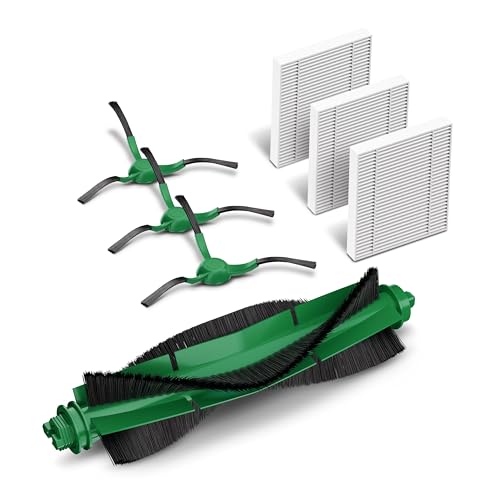

Contents are the listing's statements. Match the kit to your model name before you order.
Roomba Emptying FAQ
More from our guides: Roomba bags by dock
Sources
- iRobot Customer Care, Roomba is not evacuating debris or communicating with the Clean Base, homesupport.irobot.com, read on November 19, 2026 Source for the dock light meanings, the power, bin, reboot, forced empty, sensor and contact steps, the clog steps, and the 100/1000 automatic evacuation after a 5 minute mission.
- iRobot Customer Care, How do I remove the Clean Base debris bag when it is full, homesupport.irobot.com, read on November 19, 2026 Source for the solid red light and the bag replacement steps.
- iRobot Customer Care, Clean Base reporting a bag full after just a couple of runs, homesupport.irobot.com, read on November 19, 2026 Source for the bag acting as a filter, the advice not to reuse a bag, the light shake, and the cardboard versus plastic bag note.
- iRobot Customer Care, How to clean or replace the robot bin and filter, Roomba e and i series, support.irobot.co.uk, read on November 19, 2026 Source for the e and i series bin and filter steps.
- iRobot Customer Care, Poor Pickup: Roomba e, i and j series and Combo 10 Max, homesupport.irobot.com, read on November 19, 2026 Source for the j series bin steps, the full bin light ring pattern and the five runs a week figure.
- iRobot Customer Care, Roomba s Series Essential care, support.irobot.co.uk, read on November 19, 2026 Source for the s series bin and filter steps and the two month filter replacement.
- iRobot Customer Care, Cleaning the Roomba 600 series bin and filter, support.irobot.co.uk, read on November 19, 2026 Source for the 600 series steps and the warning against liquid.
- iRobot Customer Care, Cleaning the Roomba 800 and 900 series filter, support.irobot.ca, read on November 19, 2026 Source for the 800 and 900 series bin and filter steps.
- iRobot Customer Care, Roomba 100/1000, How to Clean or Replace the Bin and Filter, support.irobot.de, read on November 19, 2026 Source for the 100/1000 series bin steps.
- iRobot Customer Care, Roomba i series Error 36, bin full sensors, support.irobot.de, read on November 19, 2026 Source for rinsing the bin, wiping the bin full sensors and checking the vacuum path.
- iRobot Roomba 105 Vac Robot with AutoEmpty Dock Owner's Manual (iRobot's guide, hosted by manuals.plus), read on November 19, 2026 Source for the 105 bin steps, the care frequency table and the dust bin requirement. We read this hosted copy, not iRobot's own PDF.
- iRobot dirt disposal bag and replenishment kit listings, Amazon US, read through the Creators API on November 19, 2026 Source for the dock compatibility lists, bag counts, kit contents and the 75 day figure. All are the seller's and the maker's statements.
The RobotVacuumer letter
New robot vacuum picks and plain advice on choosing and living with one, about once a month.