Maintenance
How to Clean Roborock Sensors
Which sensors a Roborock has, the cloth Roborock says to use, and which errors a dirty sensor can trigger, based on Roborock's own manuals and support pages.
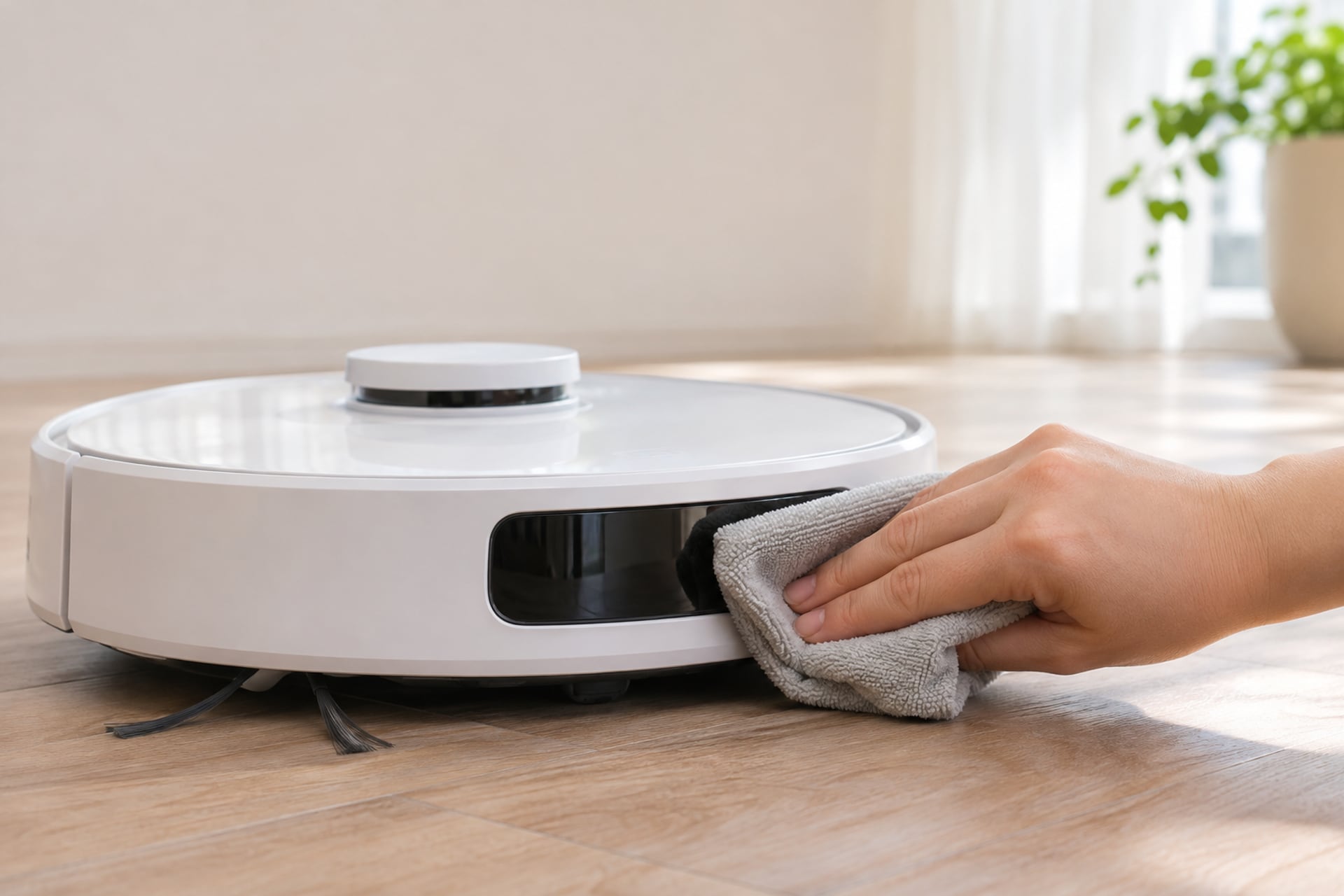
A Roborock finds its way with a handful of small sensors, and every one of them is a window that dust can cloud. When one gets dirty, the robot does not always say so. It may stop at a rug edge, refuse to cross a threshold, wander along a wall, or fail to find its dock. Roborock's manuals list cleaning the sensors as a routine monthly job, and its error tables point to a dirty sensor for several common faults.
This guide covers where the sensors are, what to wipe them with, and which error messages usually mean a sensor needs attention. Every instruction comes from Roborock's manuals and support pages, listed at the end with the date we read them. Sensor layouts differ between models, so treat the lists below as the pattern, and check the manual for your exact robot. If the robot has stopped charging, our Roborock not charging guide goes deeper, and the robot vacuum troubleshooting hub sorts other symptoms by cause.
Which Sensors a Roborock Has
Roborock's Q7 Max manual lists three groups under its Robot Sensors heading: the dock locator, the wall sensor and four cliff sensors. It then gives a separate heading for the charging contacts on the dock and the robot. On top of those, many Roborock models carry a LiDAR turret, which the same manual's error table refers to as the LiDAR turret or laser. Not every model has every sensor, and Roborock's other manuals name them in slightly different ways, so the table below is a map, not a parts list for one robot.
| Sensor | Where to find it | What a dirty one can cause |
|---|---|---|
| Cliff sensors (four on the Q7 Max) | On the underside of the robot, at the front edge | A cliff sensor error, and a robot that stops near dark or shag carpet |
| Wall sensor | On the right side of the robot | Missed areas and odd cleaning paths along walls, or a wall sensor dirty message |
| LiDAR turret | The round turret on top, on models that have one | A blocked LiDAR or laser message, or a turret that does not spin |
| Dock locator | On the robot, as listed in Roborock's sensor diagram | A dock locator error, or a robot that cannot return to the dock |
| Charging contacts | Metal strips on the robot and on the dock | A charging error and a robot that will not top up |
Where to find it
Show specifications
- Cliff sensors (four on the Q7 Max)
- On the underside of the robot, at the front edge
- Wall sensor
- On the right side of the robot
- LiDAR turret
- The round turret on top, on models that have one
- Dock locator
- On the robot, as listed in Roborock's sensor diagram
- Charging contacts
- Metal strips on the robot and on the dock
What a dirty one can cause
Show specifications
- Cliff sensors (four on the Q7 Max)
- A cliff sensor error, and a robot that stops near dark or shag carpet
- Wall sensor
- Missed areas and odd cleaning paths along walls, or a wall sensor dirty message
- LiDAR turret
- A blocked LiDAR or laser message, or a turret that does not spin
- Dock locator
- A dock locator error, or a robot that cannot return to the dock
- Charging contacts
- A charging error and a robot that will not top up
Roborock's manuals do not give a position for every sensor in words, only in diagrams, so the locations above are the ones we can state from the text we read: the cliff sensors on the underside, the wall sensor on the right of the robot (from Roborock's S5 support page) and the turret on top. Where a position is only in a diagram, check the diagram in your manual.
What to Clean Them With
Roborock's instruction is short. The Q7 Max manual says to use a soft, dry cloth to wipe and clean all sensors, and to do it monthly. The same manual says to use a soft dry cloth on the charging contacts of the dock and the robot, also monthly. A microfiber cloth that does not shed fibers fits that description.
That is the baseline. Roborock's support pages add two small variations worth knowing about. The S5 page says dirt on the wall sensor is cleared by wiping it with a damp cloth. For charging contacts, the same page says to wipe with a dry or lightly alcohol-dampened cloth, or to rub them gently with an eraser if there are stains or oxidation. Manuals for other models say dry cloth only. If you are unsure which applies to you, the dry cloth is the one that no Roborock document we read argues against.
What Roborock does not say matters too. The manuals we read give no approved cleaning spray for sensor windows and no separate method for the LiDAR turret beyond checking for obstruction. We would not reach for glass cleaner or solvent on a plastic sensor window when the maker names a dry cloth.
Clean the Cliff Sensors
-
Turn the robot over on a soft surface
Put it on a towel or a rug so the top turret and the brush are not resting on a hard edge. Roborock's cliff sensors face downward on the underside.
-
Find the cliff sensors
On the Q7 Max the manual shows four. They are small dark windows along the front of the underside. Your model's diagram shows the exact spots.
-
Wipe each window with a soft, dry cloth
One light pass per window is enough. Roborock's wording for error 4 is to clean the cliff sensors, move the robot away from drops and restart.
-
Check the floor, not just the robot
Roborock's support page for the cliff sensor error also says to make sure the robot is not on dark or shag carpet. Dark flooring can read as a drop, so a clean sensor on a black rug may still stop.
-
Restart and run a short cleaning
If the error comes back, Roborock says to contact Roborock Customer Support.
Clean the LiDAR Turret and the Front and Side Sensors
-
Look for an obstruction first
The manuals describe error 1 as a blocked LiDAR turret or laser, and the fix they give is to check for an obstruction and retry. Look for a hair, a sticker or anything pressing on the turret's moving part.
-
Watch whether the turret spins
The S5 support page says to turn the robot on and watch that the laser unit is spinning. If it is not, it says to rotate the unit gently by hand and restart the robot.
-
Wipe the dust off with the dry cloth
Roborock's cleaning instruction covers sensors in general: a soft, dry cloth. It gives no separate procedure for the turret, so keep to that and do not press on the turret or lift it.
-
Clean the wall sensor on the right
Roborock's S5 page says dirt here shows up as missed areas and odd cleaning paths. It suggests wiping the sensor and running another cleaning.
-
Clean the dock locator
The Q7 Max manual lists a dock locator error and a could not return to dock error, and both say to clean and retry. Wipe the dock locator window on the robot, and keep the area around the dock clear.
Clean the Charging Contacts on the Robot and the Dock
-
Switch off and unplug
Power the robot off and unplug the dock before you touch the contacts.
-
Find both sets of contacts
The metal strips on the dock and the matching metal pads on the robot. Roborock's manual names both and says to wipe both.
-
Wipe with a soft, dry cloth
That is the instruction in the Q7 Max manual. Roborock's S5 support page adds that a lightly alcohol-dampened cloth, or a gentle rub with an eraser, can lift stains and oxidation, and it says to check both sides for dust, stains or oxidation.
-
Reseat the robot and test
Roborock's error table says to clean the charging contacts and retry. If the robot still does not charge, our Roborock not charging guide covers the next steps, and how to reset a Roborock covers the reboot.
How Often to Clean Roborock Sensors
The only calendar Roborock gives in the manuals we read is monthly. The Q7 Max manual says to clean the sensors monthly, and to clean the charging contacts monthly. Its schedule table sets the other parts on different clocks, such as the main brush every two weeks and the dustbin weekly, so the sensors are the light-touch item in the routine.
A monthly pass costs about a minute with a dry cloth, which is cheap next to an error you cannot place. Our how to clean a robot vacuum guide fits sensors into the wider routine, and Roborock cleaning solution covers what to use on the water tank and mop parts, which is a different job from a sensor window.
Errors That Point to a Dirty Sensor
These are the sensor errors Roborock's manuals publish. Error numbers vary between models, so match the wording to your own manual's table and not only the number.
| Roborock's error wording | Number in the Q7 Max manual | What Roborock says to do |
|---|---|---|
| LiDAR turret or laser blocked | 1 | Check for obstruction and retry |
| Cliff sensor error | 4 | Clean cliff sensors, move the robot away from drops and restart |
| Charging error | 13 | Clean charging contacts and retry |
| Dock locator error | 22 | Clean and retry |
| Could not return to dock | 23 | Clean the dock location beacon and retry |
| Wall sensor dirty | 26 in the Q7 Max manual, 15 in the S7 manual | Clean the wall sensor |
Number in the Q7 Max manual
Show specifications
- LiDAR turret or laser blocked
- 1
- Cliff sensor error
- 4
- Charging error
- 13
- Dock locator error
- 22
- Could not return to dock
- 23
- Wall sensor dirty
- 26 in the Q7 Max manual, 15 in the S7 manual
What Roborock says to do
Show specifications
- LiDAR turret or laser blocked
- Check for obstruction and retry
- Cliff sensor error
- Clean cliff sensors, move the robot away from drops and restart
- Charging error
- Clean charging contacts and retry
- Dock locator error
- Clean and retry
- Could not return to dock
- Clean the dock location beacon and retry
- Wall sensor dirty
- Clean the wall sensor
The Q7 Max manual also carries a general rule: after any sensor errors, clean the sensor and retry. Two of these are not strictly about dirt. A LiDAR error asks you to check for an obstruction, and the cliff error asks you to move the robot away from drops. A battery error, error 14 in the Q7 Max manual, lists no remedy, so cleaning will not fix it. For anything that survives a clean sensor, Roborock says to contact its support, and our reset guide covers the reboot step.
How to Clean Roborock Sensors FAQ
Sources
- Roborock, Q7 Max user manual (Robot Sensors, Charging Contact Areas, Errors), as reproduced by manualsdir.com, read on November 20, 2026 Source for the sensor list, soft dry cloth, monthly cleaning, the charging contact instruction and the error table entries for errors 1, 4, 13, 14, 22, 23 and 26.
- Roborock, Q7 Max user manual (maintenance schedule), as reproduced by manualsdir.com, read on November 20, 2026 Source for the schedule of other parts that the sensor routine sits beside.
- Roborock, S5 support page, help.roborock.com, read on November 20, 2026 Source for the cliff sensor error advice, the wall sensor, the charging contact cleaning options and the laser unit check.
- Roborock, S7 user manual (Errors), as reproduced by manualslib.com, read on November 20, 2026 Source for the matching error wording on the S7 and the wall sensor number on that model.