Fix & Maintain
How Long Do Robot Vacuums Last?
What wears out first, the replacement intervals the makers publish, and a small calculator for your own yearly upkeep.
As an Amazon Associate we earn from qualifying purchases, at no cost to you. How we make money.
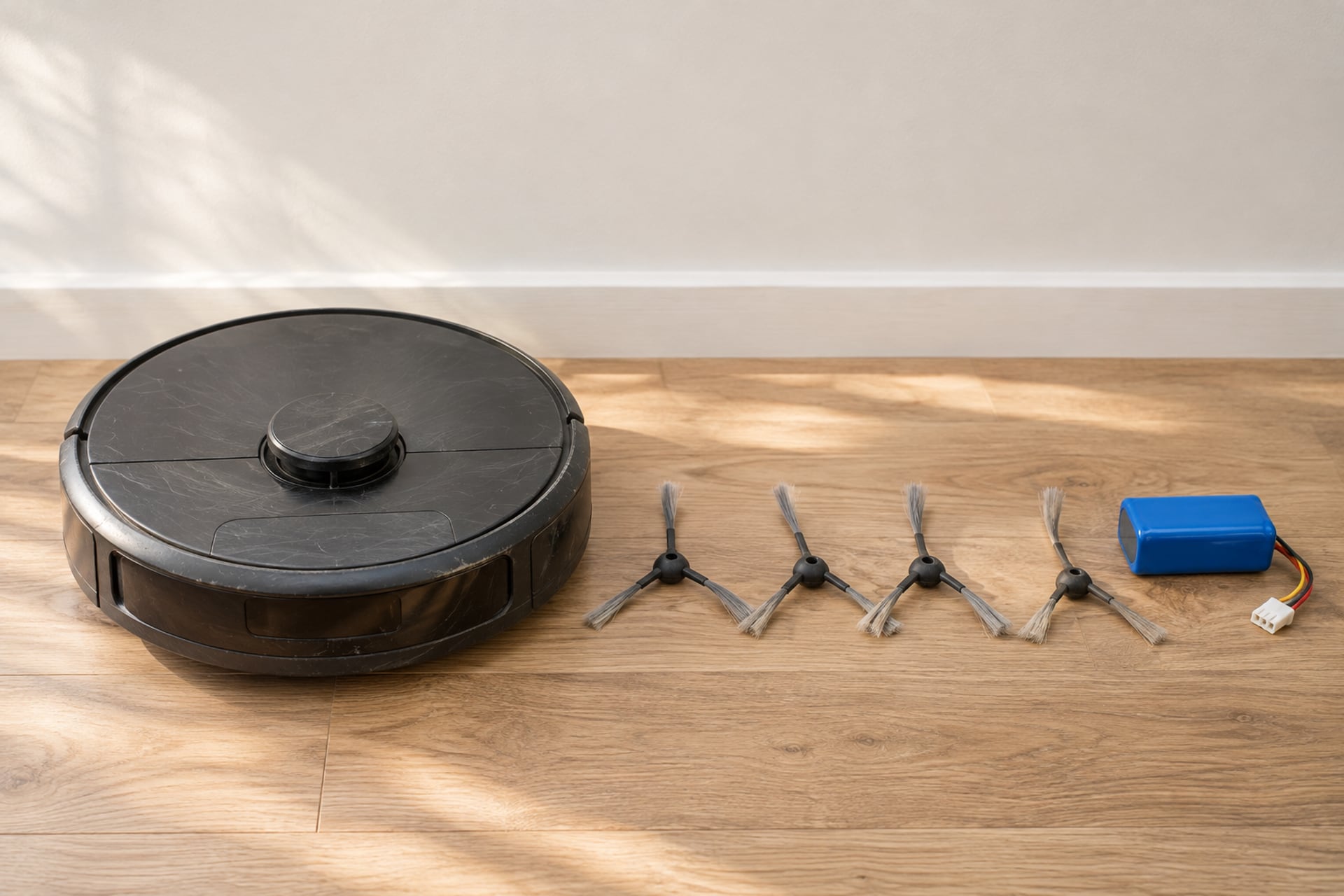
A robot vacuum lasts several years, but the honest answer is that no single number covers every model. Ecovacs says robot vacuums last 4 to 6 years, depending on build quality, how you use the robot and how well you maintain it. iRobot, Roborock and Shark do not give us a lifespan in years on any page we could open, so we will not invent one for them. What the makers do publish, in a few places, is how often the small parts wear out, and that is the part you can plan around.
A robot does not usually die all at once. It loses runtime as the battery ages, it cleans a little worse as brushes flatten and filters clog, and one day the cost of keeping it going starts to look like the cost of a new one. This guide covers what wears out first, what the makers publish, what slows the wear, why software support is part of the answer, and how to work out your own yearly upkeep. If you are still deciding whether to buy one at all, start with are robot vacuums worth it.
What Wears Out First
Some parts are built to be replaced often, and a few are built to last as long as the robot. The difference matters, because the first group costs little and the second group decides when the robot is finished. The table below shows only intervals that a maker publishes, with the source named. Where we could not open a maker's own page, the cell says so instead of filling the gap with a guess.
Brushes, Filters and Pads
These are the consumables. A side brush bends and splays, a rolling brush loses its bristles or its grip, a filter clogs with fine dust and a mop pad holds smell. eufy publishes the clearest schedule we found: its support table lists the filter element every 6 months or when it yellows, the filter every 6 months or after about 50 cleaning rounds, the side brush every 3 to 6 months or when visibly worn, the rolling brush every 6 to 12 months, and the brush guard every 3 to 6 months. Ecovacs gives figures for one model only, the DEEBOT X11 OmniCyclone: side brush every 3 to 6 months and roller mop every 1 to 2 months.
Sensors, Wheels and Contacts
These are not replaced on a schedule, but they decide whether the robot keeps working. eufy lists the sensors, charging pins and swivel wheel for cleaning once a month. A film of dust on a cliff sensor or a dirty charging contact looks like a dead robot, and the fix is a dry cloth. Our robot vacuum troubleshooting hub covers the faults that are not wear.
The Battery and the Motor
The battery is the one large part that ages with use. The motor is the part we have the least maker data on: none of the makers above states a motor lifespan, so we do not give one. If suction seems weak, check for a clogged filter or a wrapped brush before you blame the motor.
| Part | eufy | Ecovacs | iRobot, Roborock, Shark |
|---|---|---|---|
| Whole robot | Not stated | 4 to 6 years | Not stated on pages we opened |
| Side brush | Every 3 to 6 months, or when visibly worn | Every 3 to 6 months (DEEBOT X11 OmniCyclone) | Check your manual |
| Rolling brush | Every 6 to 12 months | Not stated | Check your manual |
| Filter | Every 6 months or about every 50 cleaning rounds | When needed; monthly if you have allergies | Check your manual |
| Mop | Washable cloth, cleaned after each use; no replacement interval listed | Roller mop every 1 to 2 months (DEEBOT X11 OmniCyclone) | Check your manual |
| Battery | Not stated | Runtime may drop around years 2 to 3 | Not stated on pages we opened |
eufy
Show specifications
- Whole robot
- Not stated
- Side brush
- Every 3 to 6 months, or when visibly worn
- Rolling brush
- Every 6 to 12 months
- Filter
- Every 6 months or about every 50 cleaning rounds
- Mop
- Washable cloth, cleaned after each use; no replacement interval listed
- Battery
- Not stated
Ecovacs
Show specifications
- Whole robot
- 4 to 6 years
- Side brush
- Every 3 to 6 months (DEEBOT X11 OmniCyclone)
- Rolling brush
- Not stated
- Filter
- When needed; monthly if you have allergies
- Mop
- Roller mop every 1 to 2 months (DEEBOT X11 OmniCyclone)
- Battery
- Runtime may drop around years 2 to 3
iRobot, Roborock, Shark
Show specifications
- Whole robot
- Not stated on pages we opened
- Side brush
- Check your manual
- Rolling brush
- Check your manual
- Filter
- Check your manual
- Mop
- Check your manual
- Battery
- Not stated on pages we opened
Battery Life: Runtime vs Lifespan
Two different things get called battery life, and mixing them up is the commonest reason people replace a perfectly good battery. Runtime is how long the robot cleans on one charge. Lifespan is how many months or years the battery keeps delivering that runtime before it fades.
Runtime Is a Spec, Lifespan Is Not
Runtime is printed on the listing and measured on a fresh battery. It shrinks as the battery ages and it shrinks faster when the suction mode is high or the floor is carpet. A lifespan figure is rarer. Ecovacs does not give a charge-cycle count or a battery lifespan in years, only that around years 2 to 3 the battery runtime may drop and battery replacement becomes common. We did not find a charge-cycle count from iRobot, Roborock or Shark on a page we could open, so we do not print one.
What a Fading Battery Looks Like
The robot returns to the dock before it finishes the floor, or it stops short of the dock. Runs get shorter month by month. Before you spend anything, clean the charging contacts on the robot and the dock and check the outlet, because those faults copy a worn battery. Our Roomba battery replacement guide matches each Roomba series to the pack it takes, and if your robot is not a Roomba, the eufy RoboVac battery replacement guide does the same for that family.
Storing a Robot You Are Not Using
If a robot sits in a cupboard, do not leave a flat battery to drain further. Ecovacs advises recharging a stored robot every 1.5 months. That one line, from a maker, is the only storage interval we could source.
What Makes One Last Longer
Nothing here is clever. The robots that age well are the ones that are kept clear of hair and dust and that do not run in conditions they were not built for.
Clear Hair and Dust on a Schedule
Ecovacs says brushes should be cleaned weekly to remove tangled debris. eufy lists the filter and rolling brush for weekly cleaning, or twice a week if you have a pet, and the dust collector after each use. Hair wound tight around a brush end is the kind of fault that stops a robot mid-run, so the weekly job is cheap insurance. The full routine, part by part, is in our guide to how to clean a robot vacuum.
Swap Worn Parts Before They Fail
A clean part that is worn still cleans badly. A flattened side brush leaves a ragged edge, and a yellowed filter lets fine dust through. Keeping a spare kit in a drawer turns a worn part into a five minute job. The two kits below are the ones we link for Roomba owners, and the same idea applies to every brand: find the replacement brushes and filters for your exact model before you need them.
Match the Run to the Floor
The conditions that strain a robot are the ones the makers warn about: cables and socks that jam brushes, and deep, long-pile rugs. Picking things up before a run costs a minute and saves a stalled robot and a wrapped brush.
Spare Parts Worth Keeping in a Drawer
These are the two parts we link for Roomba owners. Match each one to your exact model on the listing before you order.
-
1Roomba e, i and j series
iRobot Replenishment Kit for Roomba e, i, j series
iRobot lists 3 filters, 3 edge-sweeping brushes and 1 set of dual multi-surface rubber brushes. It does not fit the Roomba Combo j7+, Combo j9+ or Combo 10 Max, so check the compatibility list on the listing.
-
2Older Roombas, 500 to 800 series
Tenergy 14.4V 3850mAh NiMH battery
A third-party NiMH pack, not an iRobot part. The listing names the models it fits, and the Roomba battery replacement guide explains which older series it covers.


Listing details read on November 20, 2026. Compatibility lists change, so confirm yours on the page before you order.
Software Support Matters Too
A robot is also an app. Maps, schedules, no-go zones and voice control all live in the maker's software, and a robot whose app is retired or whose cloud service stops can be left with only a basic button. Hardware that still cleans can become a lot less useful if the software around it is abandoned.
Why a Robot Can Age Out Without Breaking
The app has to keep running on new phones, new operating systems and new Wi-Fi routers. The cloud service behind it has to keep running too. When a company changes hands or stops supporting an older model, the first thing owners notice is that the app no longer pairs, even though the robot still drives. We cannot tell you how long any maker will support a given model, because none of the makers we read publishes a software support term.
What to Check Before You Buy
Look at how long the model has been on sale, whether the maker has a record of updating older robots, and whether the robot still works from its buttons if the app is gone. For a worked example of what a company shake-up means for owners, see our guide to the iRobot bankruptcy.
Your Yearly Upkeep
Instead of printing prices that go stale, we let you put in your own. Enter what each part costs where you shop and how many times a year you replace it, using the intervals above or your manual. For the battery, enter its price and how many years you expect it to last. The calculator adds it up to a yearly and a monthly figure. It runs in your browser, nothing is sent anywhere, and nothing here is a price we publish.
Repair or Replace?
The decision is about what is wearing out, not the robot's age. A worn consumable is a cheap fix on a robot you are happy with. A battery is a mid-sized fix that makes sense on a robot you still like. A dead motor, a failed mainboard or an abandoned app is usually the point where a new robot is the sensible spend.
When a Fix Makes Sense
Replace a part when it is a wear item, when the robot still maps and navigates the way you want, and when the part is sold for your exact model. Our robot vacuum parts hub points you to the right guide for your brand, and the Roomba battery replacement page covers the most common repair.
When to Start Shopping
Start looking when the repair would cost a large share of a new robot, when parts for your model are hard to find, or when the app no longer works. Before you buy, compare the repair figure you worked out above with the models in our best robot vacuums guide, and remember that a robot with a dock that empties itself changes how much attention you give it every week.
Is It Worth It at All?
If you are weighing a repair against giving up on robots, the bigger question is whether the daily convenience is worth the upkeep to you. Our are robot vacuums worth it guide answers that by home and by household.
Robot Vacuum Lifespan FAQ
Sources
- eufy, How often should I clean or replace accessories of my RoboVac, eufy Support, read on November 20, 2026 Source for the filter, side brush, rolling brush and brush guard intervals and the weekly and monthly cleaning frequencies.
- Ecovacs, Improve robot vacuum cleaner lifespan, Ecovacs US blog, read on November 20, 2026 Source for the 4 to 6 year range, the battery runtime note for years 2 to 3, the weekly brush cleaning, the DEEBOT X11 OmniCyclone side brush and roller mop intervals and the 1.5 month recharge advice.
- Replenishment kit and replacement battery listings, Amazon US, read on November 20, 2026 Source for the kit contents and compatibility statements.