Comparison tool
Compare Robot Vacuums Side by Side
Choose two or three current models and read navigation, suction, dock, mop and noise in one table, with "not stated" wherever a listing is silent.
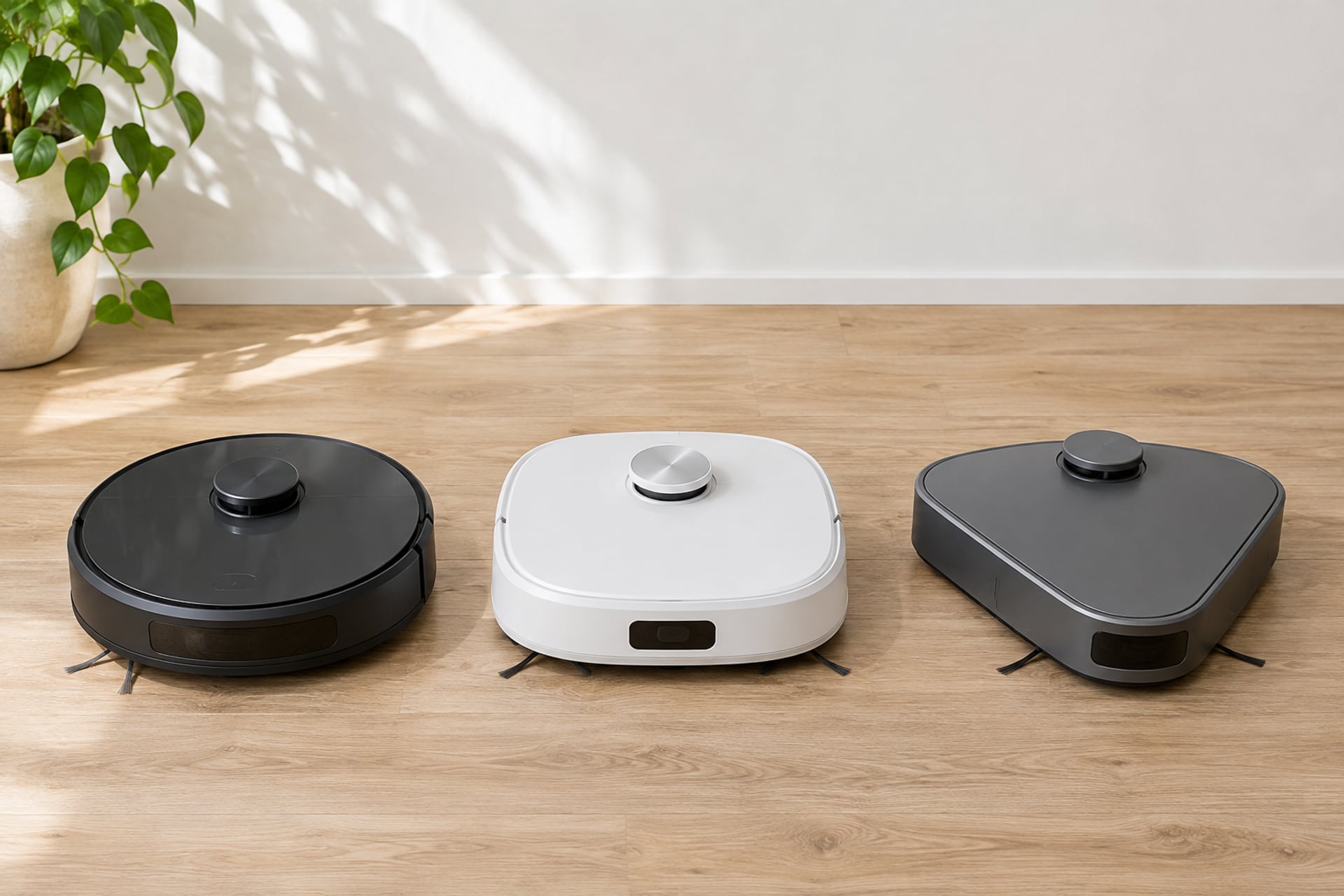
Two robot vacuums can look alike and clean very differently. The difference sits in a handful of spec rows: how the robot finds its way, what the dock does, whether it mops and how loud it runs. This tool puts those rows next to each other for the models we cover.
Search for a model below, add up to three, and the table fills in. Turn on "show differences only" to hide every row the robots share. The link in your address bar keeps your selection, so you can send the comparison to someone else. Every figure comes from the maker's own listing, and where the listing is silent the table says "not stated" instead of guessing.
Nothing selected yet. Pick two or three robot vacuums above, or open one of the ready-made comparisons below.
Ready-Made Comparisons
Dreame vs Roborock
- Dreame L10s Ultra Gen 2 vs Roborock Qrevo S Pro
- Dreame L40 Ultra Gen 2 vs Roborock Qrevo 2 Pro
- Dreame L60 Ultra PE vs Roborock Saros 10R
- Dreame X60 Max Ultra Complete vs Roborock Saros 20
Ecovacs vs Roborock
- Ecovacs Deebot TEO+ vs Roborock Q7 M5+
- Ecovacs Deebot T90 Pro Omni vs Roborock Qrevo 2 Pro
- Ecovacs Deebot X12S OmniCyclone vs Roborock Saros 20
Eufy vs Roborock
- eufy C28 vs Roborock Qrevo S Pro
- eufy E25 vs Roborock Qrevo 2 Pro
- eufy E28 vs Roborock Qrevo Curv 2 Flow
- eufy E35 vs Roborock Qrevo Edge 3 Pro
Eufy vs Roomba
- eufy C28 vs Roomba Plus 415
- eufy E25 vs Roomba Plus 575
- eufy E28 vs Roomba Plus 678
- eufy E35 vs Roomba Max 875
Eufy vs Shark
- eufy C28 vs Shark Matrix Plus UR2650WS
- eufy E25 vs Shark PowerDetect NeverTouch RV2820YE
- eufy E28 vs Shark AI Ultra AV2501S
- eufy E35 vs Shark PowerDetect UV Reveal AV3000XE
Narwal vs Roborock
- Narwal Freo X Plus vs Roborock Qrevo Pro
- Narwal Freo Z10 Turbo vs Roborock Qrevo 2 Pro
- Narwal Freo 20 Edge vs Roborock Qrevo Curv 2 Flow
- Narwal Freo 20 vs Roborock Qrevo Edge 3 Pro
- Narwal Flow 2 vs Roborock Saros 20 Flow
Roomba vs Roborock
- Roomba 105 Vac vs Roborock Q7 L5
- Roomba 105 Vac AutoEmpty vs Roborock Q7 M5+
- Roomba Plus 575 vs Roborock Qrevo S Pro
- Roomba Max 875 vs Roborock Saros 20
Shark vs Roborock
- Shark Navigator RV2110 vs Roborock Q7 L5
- Shark Navigator AV2120 vs Roborock Q7 M5+
- Shark PowerDetect NeverTouch RV2820YE vs Roborock Qrevo 2 Pro
- Shark PowerDetect UV Reveal AV3000XE vs Roborock Saros 10R
Shark vs Roomba
- Shark Navigator RV2110 vs Roomba 105 Vac
- Shark Navigator AV2120 vs Roomba 105 Vac AutoEmpty
- Shark PowerDetect NeverTouch RV2820YE vs Roomba Max 875
How to Read the Specs
Spec sheets use a few terms that sound alike and mean different things. These are the four rows that change how a robot lives in your home.
Suction in Pa
Pa stands for pascals, the unit makers use for suction. Each maker states its own figure, so a number from one brand is not a guarantee against a number from another. Use Pa to tell tiers apart, such as 2,000 from 10,000, and not to rank two neighbors. Brush design and carpet handling matter as much.
LiDAR or Camera Navigation
LiDAR robots map a room with a spinning laser, which does not depend on room light. Camera-based robots navigate by what their camera sees, so how well they cope with a dark room depends on the model. The navigation row shows which kind each listing states. For models grouped by this feature, see our guide to robot vacuums with LiDAR.
Dock Types
A charging dock only recharges the robot. A self-empty dock also pulls the dirt out of the robot into a bag or bin, so you empty it every few weeks instead of every run. An all-in-one dock goes further and, for mopping robots, washes and dries the pads and refills the water. Our self-emptying robot vacuum guide explains the trade-offs.
Mop Type and Lift
Mopping robots use different pads: vibrating, rotating or roller. The mop lift row says how far the pad rises on carpet, when the listing states it. If you have rugs, that row matters more than the pad type. Start from our guide to the robot vacuum and mop models if you are not sure you want a mop at all.
Prefer a full chart for one brand? See the Roomba comparison chart and the Roborock comparison chart, or read the guide to the best robot vacuums.
Product prices and availability are accurate as of the date/time indicated and are subject to change. Any price and availability information displayed on Amazon.com at the time of purchase will apply to the purchase of this product. Prices on this page are read again from Amazon once a reading is an hour old, and a price is hidden when the latest reading is more than 24 hours old. CERTAIN CONTENT THAT APPEARS ON THIS SITE COMES FROM AMAZON. THIS CONTENT IS PROVIDED 'AS IS' AND IS SUBJECT TO CHANGE OR REMOVAL AT ANY TIME.
Sources
- Amazon US product listings and manufacturer text for every model in the comparator, read through Amazon's product data on November 20, 2026 Every specification in the table is quoted from these listings. Where a listing does not state a figure, the table says "not stated".
The RobotVacuumer letter
New robot vacuum picks and plain advice on choosing and living with one, about once a month.